Phone Not Turning On: Board-Level Diagnosis Step by Step
17 November 2026 · LightspeedTools team
Short answer: When a phone is not turning on, rule out the cheap causes first: charger, cable, forced restart and a known-good battery. If it still stays dead, power the board from a DC power supply through a boot cable, read the current draw, and use that pattern to decide whether you are chasing a short, a power-management fault or a software problem.
This guide is the bench routine for a phone that shows no sign of life: no logo, no vibration, no charging icon. It works for iPhones and Android phones alike, because the logic is the same on every board. The current draw tells you which half of the problem you are in, and each half has its own tools.
Step 1: Rule out the outside causes
Many "dead" phones that reach the counter are not dead. Before you open anything, spend two minutes on the basics.
- Charger and cable. Use your own known-good charger and cable, not the customer's. Clean the charging port with a non-metal pick; packed lint stops the plug from seating fully.
- Charge time. A deeply drained battery can take a while before the phone shows anything. Leave it on a known-good charger for a reasonable time before you call it dead.
- Forced restart. Do the model's button sequence for a forced restart. A phone stuck with the display off will often come back here.
- Signs of life. Connect it to a computer. If the computer detects the device, or the phone vibrates or makes sounds, it is on and the problem is display-side, not power.
If the phone responds to any of these, you are not doing a no-power diagnosis. If it does nothing, open it up.
Step 2: Try a known-good battery
A battery that has gone flat below its protection threshold, or one with a failed protection circuit, can make a healthy board look dead. Fit a known-good battery of the correct type and try again. Keep a few tested batteries on the bench for this; a small stock of tested batteries pays for itself in diagnosis time alone.
Check the battery connector too. Bent pins, corrosion or a lifted connector on the board will give the same symptom as a bad battery. If a known-good battery brings the phone back, the job is a battery replacement and you are done.
Step 3: Power the board from a DC power supply
This is the core of board-level diagnosis. A bench DC power supply lets you feed the board a controlled voltage, set a current limit, and watch exactly how much current it pulls. A unit like the 2UUL PC30 DC3006 adjustable power supply gives you the fine voltage and current control you need for phone boards.
Connect the board through a boot cable made for the model, so you are not clipping leads onto battery connector pads by hand. Then:
- Set the voltage to the nominal battery voltage for that phone.
- Set a low current limit before you connect. The limit protects the board if there is a dead short, and it makes the short easier to find later.
- Connect the boot cable, watch the ammeter, then press the power button.
Safety on the bench
- Never set the voltage higher than the battery's rated voltage. Overvoltage can kill parts that were fine.
- Always set the current limit before you connect, and raise it only in small steps.
- Check polarity on the boot cable every time.
- Disconnect and remove the battery before any board work. A swollen, punctured or hot lithium battery goes into a fireproof container, not the bin. Never pry a battery with metal tools.
Step 4: Read the current draw
The ammeter reading at connection and at power-on narrows the fault fast. Exact values differ by model and by power supply, so learn what a healthy board of each model does on your own bench. The patterns themselves are consistent:
| What you see | What it usually means | Where to look next |
|---|---|---|
| No draw at all when you press power | The board is not starting the power-up sequence | Power button line, battery connector, main PMIC enable signals, open fuses or broken traces |
| High draw the moment you connect, before pressing power | A short on the main power line | Thermal camera or rosin on the main rail; shorted capacitors near the battery line |
| Draw rises, then stops or drops back | Power-up starts but fails partway | Secondary rails, PMIC, CPU or memory communication; try DFU/restore |
| Draw rises and keeps changing in steps, like a normal boot | The board is likely booting | Display, backlight or connector fault; or software. Check with a computer |
| Draw climbs and stays high after power-on | A short on a secondary rail that only switches on at boot | Find the rail with diode mode, then locate the hot part |
Write down what you see. That record is useful when you quote the job, and it gives you a baseline when the same model comes in again.
Step 5: Find the short
If the draw points to a short, you need to find which part is pulling the rail to ground. There are three standard methods, and good technicians use them together.
Thermal camera
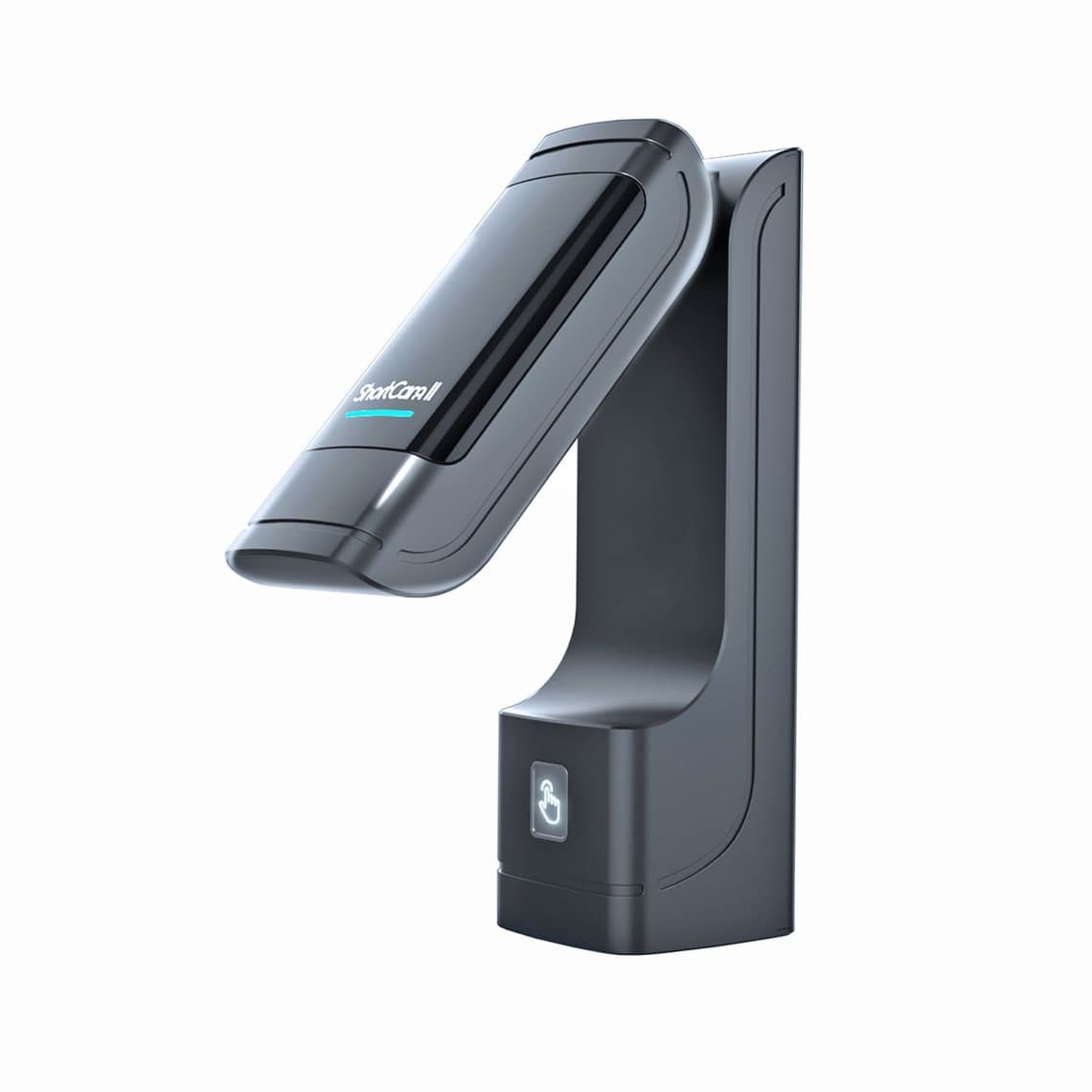
Feed the shorted rail with a low, current-limited voltage and look at the board through a thermal camera. The failing part heats up before anything else. A dedicated unit like the ShortCam II thermal imaging camera or the Qianli ToolPlus SuperCam X sits over the board and shows the hot spot on screen. Dual-spectral cameras such as the RF4 RF-C39 overlay the heat image on a normal picture, which makes it easier to say which part is hot on a crowded board. Browse the full range of thermal cameras if you are choosing one for the bench.
Start with a low voltage and raise it slowly. Too much power can burn the part you are looking for and the pads under it.
Rosin
The cheap method still works. Coat the suspect area with a thin layer of rosin smoke or freeze spray, inject a low current-limited voltage into the shorted rail, and watch which spot melts or clears first. It is slower than a camera and messier, but it finds the same part.
Multimeter in diode mode
A multimeter tells you which rail is shorted before you inject anything. With the board unpowered, put the meter in diode mode, red probe to ground, black probe on the rail test point or a capacitor on that rail. Compare the reading against a known-good board or a reference value for that model. A reading near zero means a short to ground; a reading much lower than normal points to a leaking part.
A fast, stable meter matters here. The RF4 RF-17N true-RMS multimeter handles diode and resistance checks well, and fine probes such as the 2UUL MT02 fine-tip test probes let you land on tiny capacitor pads without sliding into the next part. See our multimeters for other options.
Common culprits on a no-power board
- Shorted capacitors. The most common cause of a short on the main line. Small filter capacitors on the battery rail fail short after drops, liquid or a bad charger. Once found, remove it and check whether the short clears.
- Power management IC (PMIC). It controls the start-up sequence and most rails. A PMIC fault can show as no draw, a short, or a draw that stops. Replacing one needs a solid reballing setup.
- Charging IC. A failed charging chip can short the main line or stop the phone charging and starting. It is a frequent fault after cheap chargers or cables.
- Liquid corrosion. Corrosion can bridge pads, eat traces and create shorts anywhere. Inspect under a microscope, clean thoroughly, then test again before replacing anything.
- Broken traces and open fuses. A "no draw" board sometimes has nothing more than an open line between the battery connector and the PMIC. Check continuity with the meter.
Step 6: DFU and restore checks
If the board takes current in a pattern that looks like start-up but never finishes, it may be a software or firmware failure rather than hardware. On iPhones, put the device into DFU mode and connect it to a computer. If it is detected, attempt a restore. Tools from DFU and boot tools make entering DFU easier, especially when the buttons are damaged.
Watch where a restore fails. An error at a consistent point often points to a hardware fault on a specific part of the board, such as storage or a communication line. A board that is not detected at all in DFU, with the draw correct, points back to hardware. Always tell the customer that a restore erases data before you run one.
When to stop and quote board repair
Not every board is worth your time on a simple counter job. Stop and quote board-level repair when:
- The short sits under a large BGA chip such as the CPU, PMIC or storage.
- There is liquid damage across several areas of the board.
- The board is a layered design and the fault may be between layers.
- The customer needs their data back. That changes how you work and what you can risk.
Give the customer a clear quote with the realistic chance of success. A board that is worth repairing for the data is a different job from one that is only worth a battery or a quick capacitor fix.
Questions
Why would a phone not turn on but still charge?
If the phone shows a charging icon or gets warm on the charger, the charging circuit is working but the start-up sequence is not finishing. Common causes are a failed battery, a software crash, or a fault on a secondary rail. Try a forced restart, then a known-good battery, then check the draw on a power supply.
What voltage should I set on the power supply for a phone board?
Set it to the nominal voltage of the phone's battery, and never higher. Set a low current limit first and raise it only in small steps. Check the battery rating for the specific model before you connect.
Do I need a thermal camera to find a short?
No, but it saves a lot of time. Rosin or freeze spray and a multimeter in diode mode can find the same faults. A thermal camera is faster, cleaner and makes it easier to find small parts on crowded boards.
Can liquid damage cause a phone to not turn on days later?
Yes. Corrosion keeps working after the phone dries out, and it can short a rail or open a trace days or weeks later. Open the phone, inspect it under a microscope, and clean the board before testing further.
Equip your bench with the right gear from DC power supplies and thermal cameras. Repair shops buying in volume can open a wholesale account, or send a list straight through quick order.