AirPods Repair: Battery, Charging Case and Common Faults
17 November 2026 · LightspeedTools team
Short answer: Most practical AirPods repair happens on the charging case, not the earbuds. Case batteries, charging port flexes, lid hall sensor flexes and hinges can be replaced on the bench, while the earbuds are glued shut and replacing their batteries is advanced work that is not always worth the cost. Always start with cleaning, a reset and a firmware check, because many "dead" AirPods are dirty contacts or a pairing problem.
AirPods come into repair shops constantly: one earbud will not charge, the case dies overnight, the lid no longer triggers the pairing pop-up, or one side sounds muffled. Some of these are quick wins. Others are jobs you should quote carefully or turn down. This guide sorts them out, explains which parts can be replaced, and gives you a bench order that avoids opening anything you do not need to.
Be honest about what can be repaired
AirPods were not designed to be opened. The earbuds are bonded together with adhesive, and on most generations the charging case is glued or welded closed too. That shapes what you can offer customers:
| Fault | Where it is | Repairability |
|---|---|---|
| Earbud not charging in case | Dirt on contacts, case contacts or earbud battery | Usually fixable by cleaning; otherwise case parts or advanced earbud work |
| Case will not charge or hold charge | Case battery, charging port flex or case board | Repairable on the bench |
| No pairing pop-up when lid opens | Hall sensor flex or magnet in the case | Repairable |
| Loose or broken lid | Hinge or housing | Repairable with a replacement housing on some generations |
| Muffled or quiet earbud | Blocked mesh | Usually fixable by cleaning |
| Short earbud battery life | Earbud cell | Advanced, risky, sometimes not economical |
| Earbud dead after water | Internal board or cell | Often not worth repairing |
First steps before opening anything
1. Clean the earbuds and contacts
Earwax and pocket lint are behind a large share of AirPods complaints. A blocked speaker mesh makes one side quiet or muffled. Debris on the metal contacts at the bottom of the earbuds, or in the charging wells inside the case, stops an earbud from charging and makes it look dead.
- Use a soft dry brush and a wooden or plastic pick on the mesh. Do not push debris through it.
- Clean the charging wells with a dry brush and a cotton swab lightly dampened with isopropyl alcohol. Let everything dry before putting the earbuds back.
- Never use metal tools on the contacts, never run water into the openings and never use compressed air directly into the mesh.
A dedicated kit such as the earphones case cleaning toolkit for AirPods keeps this quick and safe. Generation-specific dust meshes are also available if a mesh is torn rather than just dirty.
2. Reset and re-pair
Put both earbuds in the case, close the lid for 30 seconds, then open it. On cases with a setup button on the back, press and hold it for about 15 seconds until the status light flashes amber and then white, then pair again with the device. Newer cases without a physical button use a different reset method, so check the instructions for that model. Remove the AirPods from the device's Bluetooth list before re-pairing.
3. Check firmware
Firmware updates install automatically when the AirPods are in the case, charging and near a paired iPhone or iPad. You can see the current version in the Bluetooth settings for the AirPods. Out-of-date firmware can cause connection drops and odd battery readings, so update before diagnosing hardware.
4. Test charging
Use a known-good cable and charger and watch the case light. A USB tester in line shows whether the case draws current at all. Our guide to USB tester readings explains what to look for. A case that draws nothing with a clean port points to the port flex, the battery or the case board. A case that charges but drains fast points to the battery.
Charging case repairs
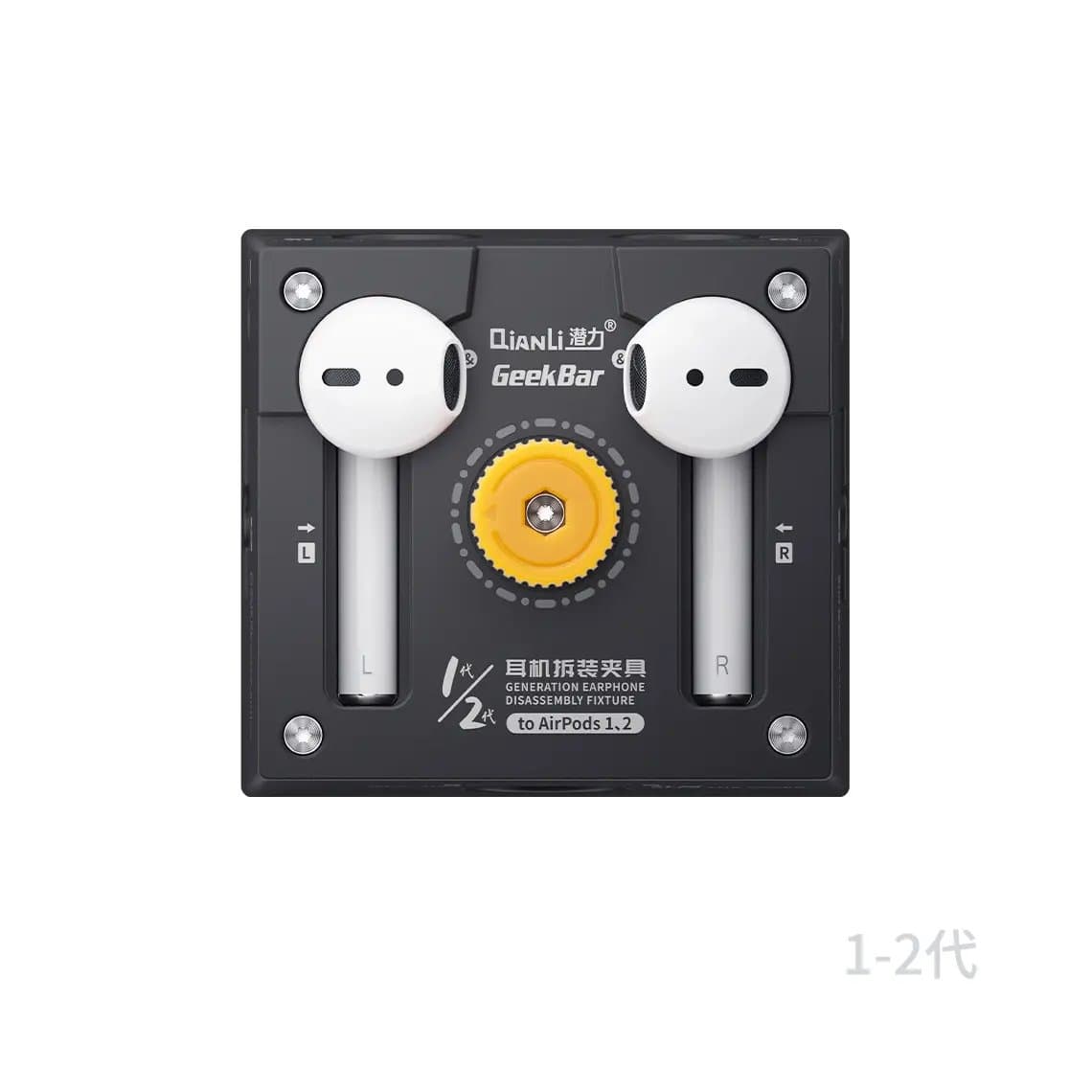
The case is where most bench work happens. Opening it usually means carefully heating and separating the glued shell along the seam, and it requires patience: the plastic marks easily and the internal flexes are thin. A holding fixture makes a big difference. The Qianli AirPods / AirPods Pro repair and battery removal fixture holds the case and earbuds steady while you work.
Case battery
The case battery is a consumable. When a case will not hold a charge for long, or stops charging the earbuds after a few hours, the cell is the usual cause. Replacement batteries are generation-specific, for example the charging case battery for AirPods 1st/2nd Gen and the charging box battery for AirPods Pro 1st/2nd Gen. On some cases the battery is connected by soldered tabs rather than a plug-in connector, so expect to solder.
Charging port flex
Lightning and USB-C ports in AirPods cases wear, collect lint and corrode. If cleaning does not help, the port flex can be replaced. Parts are specific to each generation, such as the AirPods 1/2 battery box charging port flex and the AirPods 3 battery box charging port flex. Note that some generations were sold with Lightning cases and later with USB-C cases, so confirm the port type and model number of the case before ordering.
Earbud charging contacts
Inside each charging well are spring contacts or copper contact sheets that touch the earbuds. If one earbud never charges even after cleaning, the contact sheet or its flex may be bent or broken. Replacement contact sheets with flex are available for several generations, including AirPods 3.
Hall sensor flex
The case uses a magnetic hall sensor to detect when the lid opens and closes. That is what triggers the pairing pop-up on the iPhone and tells the earbuds to connect or sleep. If the pop-up stops appearing or the earbuds keep draining in a closed case, the hall sensor flex or the lid magnet may be at fault. The AirPods Pro 2 charging box magnetic switch hall flex is one example.
Hinge and housing
A broken hinge or a lid that no longer snaps shut is a common drop injury. Repairs range from re-seating the hinge spring to moving all internals into a replacement housing. Housings exist for several generations; check fit carefully, because small differences between generations are easy to miss.
Earbud repairs: advanced and often not economical
Opening an AirPods earbud means cutting or heating through adhesive in a part that is only a few millimetres thick. The battery is tiny and sits close to the antenna and board. Earbud battery replacement is possible, and parts such as the battery for AirPods 1st/2nd Gen (left or right) exist, but:
- The shell rarely goes back together looking factory-new, and seals are not restored.
- Some generations need soldering on very small tabs.
- The risk of damaging the antenna, mic or board is real, and a failed attempt means a dead earbud.
- Depending on the model and local prices, a replacement earbud may cost less than your labour.
Quote earbud work only after the customer understands these risks, and consider offering a replacement earbud instead. Speakers, microphones and antenna flexes are also sold for several generations, but these are specialist jobs.
AirPods Max
AirPods Max are a different kind of repair: they are larger, partly modular and easier to work on than the earbuds. The magnetic ear cushions come off by hand. Common faults include charging port problems, headband hinge flex damage causing one side to cut out, and condensation inside the ear cups. Parts include the AirPods Max charging port flex, which is sold in the colours of each finish, plus hinge flex cables, microphone flexes and speakers. The original model and later versions use different ports and some different flexes, so check the version first.
Lithium safety with tiny cells
Small cells are easy to underestimate. A punctured AirPods battery can still vent and burn.
- Never pierce, bend or squeeze a cell. Do not use metal blades near it.
- Keep heat on the shell, not the battery, and use the lowest heat that softens the adhesive.
- Do not solder directly onto a cell unless the part is designed for it; keep iron contact brief.
- Reject swollen cells, keep a sand tray or fireproof container on the bench, and tape terminals before recycling.
- Work on a grounded mat; see our guide to ESD protection for the basics.
Common mistakes
- Opening a case before cleaning the contacts and testing with a known-good cable.
- Ordering the wrong port flex because the case was a later USB-C version.
- Prying the case shell with metal and marking the plastic.
- Promising earbud battery work as routine.
- Forgetting a firmware update and chasing a software problem with parts.
Questions
Can AirPods batteries be replaced?
Case batteries can be replaced on the bench with the right tools. Earbud batteries can technically be replaced, but the earbuds are glued shut, the work is delicate, and it is often not worth the cost compared with a replacement earbud.
Why is one AirPod not charging?
Start with dirt on the earbud's bottom contacts or in the case well, which is the most common cause. Clean both, reset the AirPods and test again. If it still does not charge, the case contact sheet or the earbud battery may be faulty.
Why does my AirPods case not charge?
Check the cable, charger and port for lint first. If the case draws no current with a clean port, the charging port flex, the case battery or the case board is the likely cause. A case that charges but drains quickly usually needs a new battery.
Why don't AirPods show the pop-up when I open the case?
Reset and re-pair them and update firmware first. If the pop-up still never appears, the hall sensor that detects the lid may have failed, and the hall sensor flex in the case can be replaced.
Find case batteries, port flexes and fixtures in AirPods parts, including sections for AirPods Pro, AirPods 3 and AirPods Max. Shops ordering regularly can open a wholesale account or reorder by SKU through Quick Order.