Apple Watch Battery Replacement: Tools and Steps
17 November 2026 · LightspeedTools team
Short answer: Apple Watch battery replacement starts with removing the display, because the battery sits directly underneath it. Once the screen is safely off, you disconnect the battery, release its adhesive slowly with plastic tools, fit a battery that matches the exact series and case size, then reseal with a new adhesive gasket. Expect the watch to work normally afterwards, but do not promise the original water resistance.
A worn Apple Watch battery shows up as a watch that will not last a day, shuts down early, or reports reduced maximum capacity in Settings. It is a common smartwatch job, and an easy one to turn into a broken screen or a punctured cell.
Why the job starts with the screen
On every Apple Watch generation the display is the front door. There is no back panel to open: the sensor back is sealed to the case and the battery lies flat on top of the internal stack, with the display laminated over it. That means every battery replacement is also a display removal and a display refit, and most of the risk is in that part of the work.
We cover opening the display in detail in our Apple Watch screen replacement guide, including where to insert the blade, how much heat to use and how to avoid tearing the display flex. If you reuse the original display, treat it as the most valuable part on the bench: the panel cracks easily if flexed while the adhesive still holds.
Tools you need
- A thin curved blade or Apple Watch opening tool to break the display adhesive. A dedicated set such as the iW-Opener 6-in-1 Apple Watch repair tool set keeps the blade angle shallow so you do not stab into the battery or display flex.
- Plastic pry tools and spudgers for disconnecting cables and working under the battery. Never use metal under a lithium cell.
- Tri-point and Phillips precision drivers. Bracket screws on Apple Watch are tiny and strip easily; the Apple Watch battery disassembly tool kit bundles the drivers and pry tools for this job.
- Gentle heat: a heat plate or hot air on a low setting. Warm the case evenly, not just one corner.
- Isopropyl alcohol in a dispenser and an adhesive remover to soften glue under the battery. Browse the adhesive removal tools if you do not already stock them.
- A new display adhesive gasket sized for the exact model and case size.
- ESD protection: a grounded mat and wrist strap. Apple Watch boards are small and sensitive.
For a complete bench set, see the Apple Watch repair tools category.
Step-by-step Apple Watch battery replacement
- Check the watch first. Note whether it powers on, the battery health reading if it boots, whether the crown, button, touch and sensors work, and any existing cracks. Unpair it from the customer's iPhone or ask them to do it, so Activation Lock is handled by the owner before the repair.
- Drain the battery below roughly 25 percent if you can. A lower charge reduces the energy in the cell if it is accidentally damaged.
- Warm the case and open the display as described in the screen guide. Lift the screen only far enough to reach the connectors. Its flex cables are short.
- Remove the connector cover. On most generations a small metal bracket held by tri-point or Phillips screws protects the battery and display connectors. Keep the screws in order: lengths can differ.
- Disconnect the battery first, then the display flex (and the Force Touch flex on generations that have it). Lift connectors straight up with a plastic spudger, never by the cable.
- Set the display aside face down on a clean, soft surface.
- Release the battery adhesive. Apply a few drops of isopropyl alcohol around the edge of the cell, wait a minute, then work a plastic card or flat spudger under the battery from the side away from its flex. Lift gradually. If it resists, add more alcohol and wait rather than pry harder.
- Clean the bed. Remove old adhesive residue so the new battery sits flat and does not press on the display.
- Fit the new battery with its own adhesive or a thin piece of double-sided tape, align the connector, and press it down lightly with a flat tool.
- Reconnect and test before sealing. Connect the battery and display, place the screen loosely, and power on. Check touch, crown, button, charging on a puck and the heart rate sensor.
- Disconnect the battery again, clean the case rim and fit a new gasket. Reconnect everything, refit the bracket, then press the display down evenly and clamp it gently while the adhesive bonds.
Generation differences that matter
Layouts change between generations, so treat these as general patterns.
- Series 1 to Series 3 (38mm and 42mm): the battery has a short flex that plugs into the board under a small bracket. The Force Touch sensor sits around the edge of the display and is a separate adhesive layer you must not tear, or replace with a new model-specific Force Touch adhesive if it rips. GPS and GPS + Cellular versions of Series 3 use different batteries.
- Series 4 to Series 6 and SE (40mm and 44mm): the display flex cables are more fragile and run close to the opening edge. Force Touch hardware is present on some of these generations and absent on later ones, so check before you assume.
- Series 7 to Series 9 (41mm and 45mm), Series 10 (42mm and 46mm) and Ultra (49mm): the layout is tighter again, and on some models the battery connects through a separate battery flex cable rather than a flex attached to the cell. If that cable is damaged you can replace it, for example with a Watch Series 10 46mm battery flex cable.
Connector shapes and positions are not the same from one generation to the next, even when the case size is the same. Never force a battery that "nearly fits".
Matching the battery to the watch
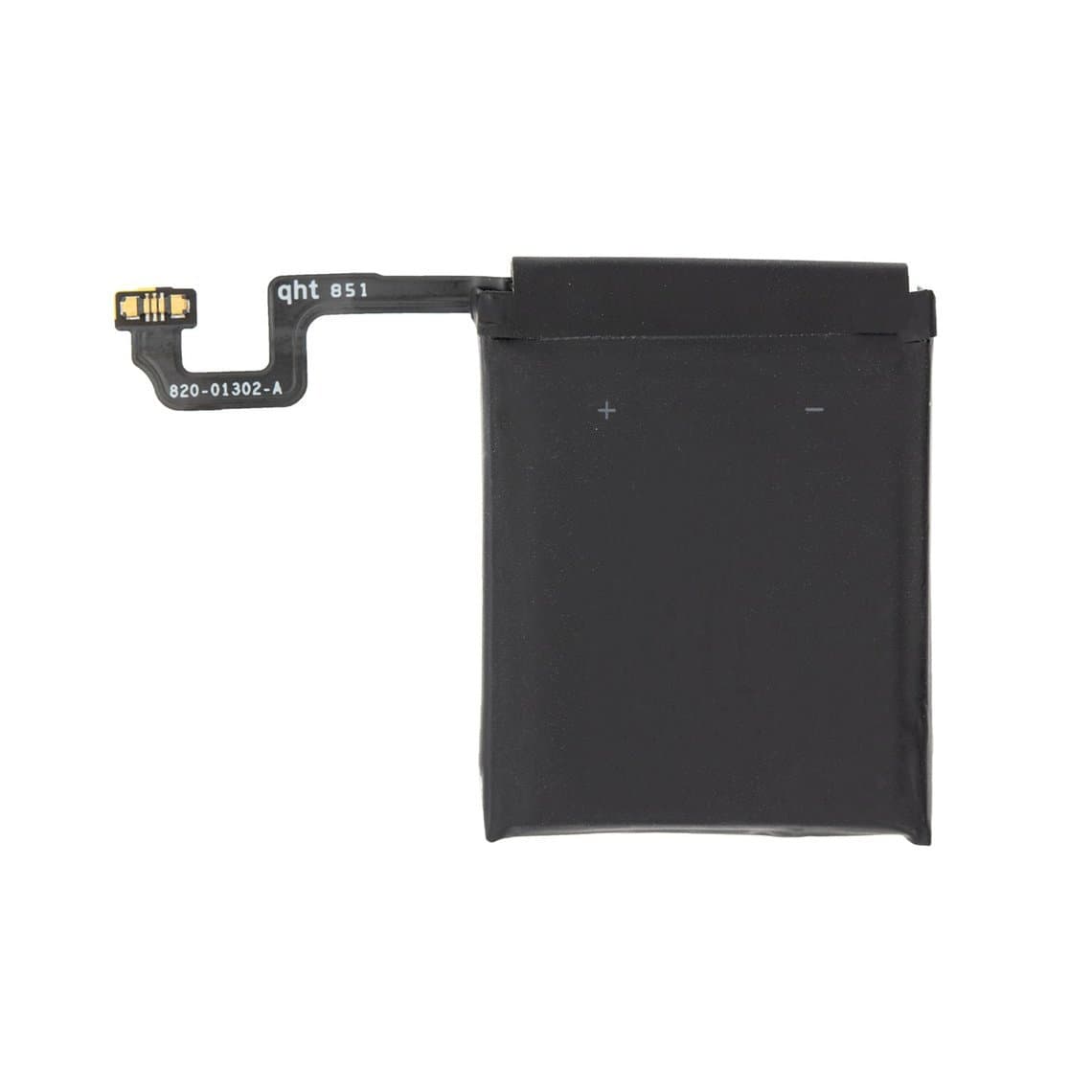
Case size alone is not enough. A 42mm Series 3 and a 42mm Series 10 are completely different watches, and a Series 3 GPS battery is not interchangeable with a Series 3 GPS + Cellular battery. Confirm the series, case size and connectivity version from the case back or Settings before ordering.
| Generation | Case sizes | Battery example | Notes |
|---|---|---|---|
| Series 3 | 38mm / 42mm | Series 3 GPS battery 38mm | GPS and Cellular versions differ |
| Series 4 | 40mm / 44mm | Series 4 44mm battery | Check connector against the old cell |
| Series 5 / SE | 40mm / 44mm | S5/SE 40mm battery | Listed as shared between S5 and SE |
| Series 6 | 40mm / 44mm | S6 battery 44mm | Do not assume S5 and S6 interchange |
| Series 7 to 9 | 41mm / 45mm | Model-specific | Ask before ordering if not listed |
| Series 10 | 42mm / 46mm | Model-specific | Not the same 42mm as Series 1 to 3 |
| Ultra / Ultra 2 | 49mm | Model-specific | Separate battery flex on some versions |
You will find current stock in the Apple Watch parts section. Compare the new cell with the old one before fitting it.
New adhesive and water resistance
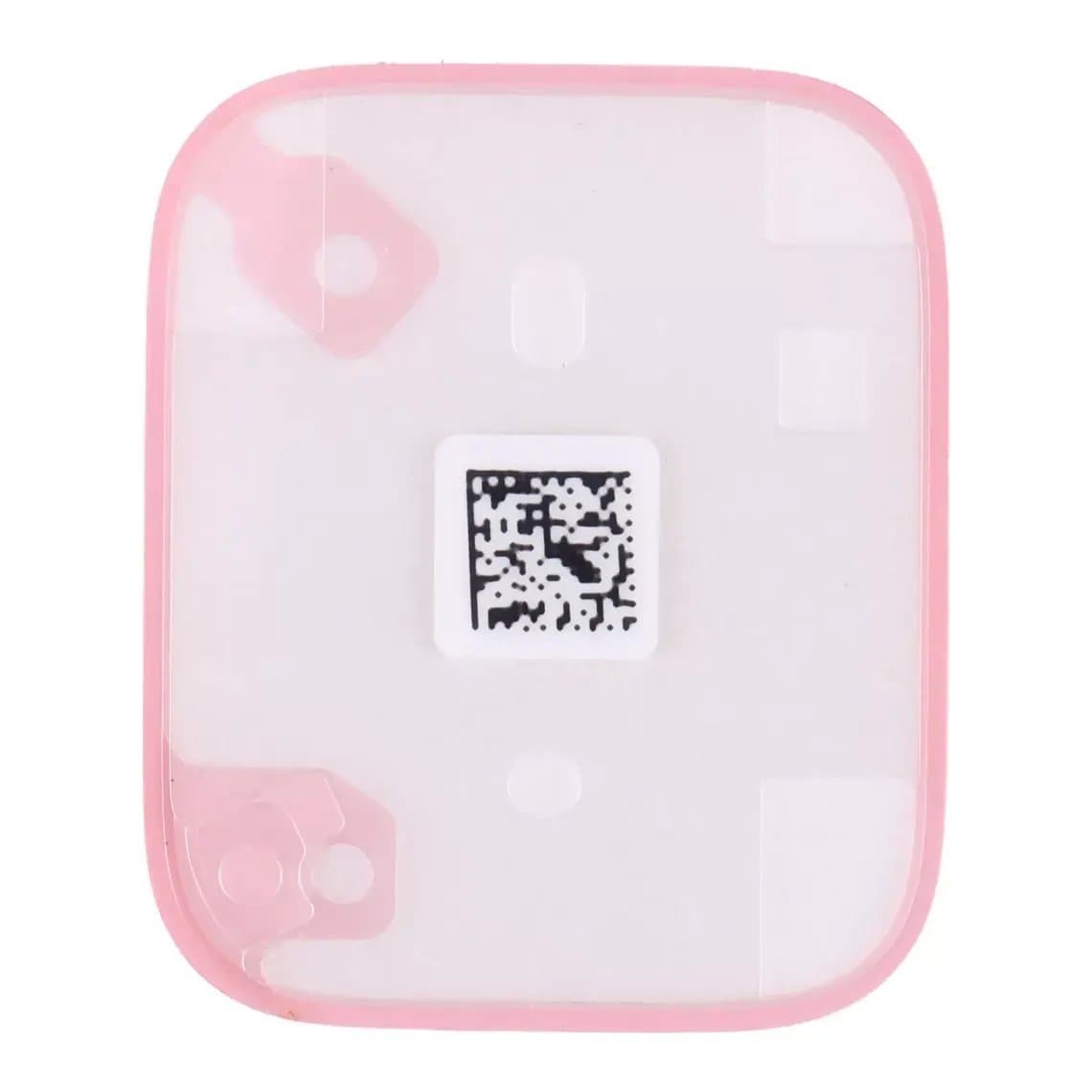
The display gasket is what keeps water and dust out. Once broken, it cannot be reused. Fit a new pre-cut gasket for the exact model, such as the S7/8/9 45mm display adhesive seal, on a clean, dry case rim. Residue or lint creates a path for moisture.
Even with a new gasket, you cannot restore the factory water resistance rating with bench tools. Tell the customer before the repair that the watch should be treated as not water resistant afterwards: no swimming, no showering with it, and wipe it dry after sweat.
After the repair: calibration and battery health
A new battery needs a few charge cycles before its readings settle. A sensible routine:
- Charge to 100 percent on the puck and leave it for an hour after it reaches full.
- Use the watch normally until it is low, then charge fully again. Repeat over a few days.
- Check Settings, Battery, Battery Health once it has been through some cycles.
On recent watchOS versions a non-Apple battery may show a service message or no health reading, and this depends on the model and software version. Some shops use adaptors such as the JCID iWatch tag-on battery repair FPC to address the battery data on supported models; check compatibility before promising it to a customer.
Lithium safety
Apple Watch cells are small, but they still store enough energy to burn. Treat them with the same care as a phone battery:
- Never pry against the face of the cell or bend it. Lift from the edge with plastic only.
- Do not heat the battery directly. Warm the case only enough to soften the display adhesive.
- Reject any swollen, dented or punctured cell. A swollen battery often pushes the display up off the case, which is a common reason the watch comes in.
- Keep a fireproof container or sand tray on the bench, and tape and recycle old cells.
Common mistakes
- Tearing the display flex by opening the screen too wide before disconnecting it.
- Reusing the old gasket or sealing over residue, then the watch fogs up later.
- Pressing the display down hard while the battery is not seated flat.
- Skipping the power-on test before sealing and wasting a second gasket.
If the watch will not boot after the swap
First rule out the simple causes: a connector not fully seated, a flex caught under the bracket, or a new battery that arrived deeply discharged and needs time on the charger. Reseat everything and leave it on the puck for 30 minutes. If it still sits on the Apple logo or loops, the problem may be software rather than hardware. Our guide to the Apple Watch restore tool for a watch that won't boot explains when a restore through the diagnostic port helps, and the tools are in watch restore tools.
Questions
Can you replace an Apple Watch battery yourself?
Yes, with the right tools and patience, but the battery is under the display, so you have to remove the screen first. That step is where most damage happens. If you have not opened an Apple Watch before, practice on a broken unit first.
How do I know if my Apple Watch battery needs replacing?
Check Settings, Battery, Battery Health on the watch. A low maximum capacity, a service message, sudden shutdowns at mid charge, or a screen lifting from the case all point to a worn or swollen battery. A swollen cell should be replaced straight away.
Is an Apple Watch still waterproof after a battery replacement?
Not reliably. A new display adhesive gasket helps keep out dust and splashes, but the original water resistance cannot be verified after the watch has been opened. Advise customers to avoid swimming and showering with it.
Are Apple Watch batteries the same for 40mm and 44mm, or for every series?
No. Batteries differ by case size and often by generation and connectivity version. Match the series, case size and GPS or Cellular version, and compare the connector with the old cell before fitting.
For batteries, gaskets and flex cables for each generation, browse Apple Watch parts and the wider smartwatch range. Shops buying regularly can open a wholesale account or reorder by SKU through Quick Order.