OCA Laminating Machine Guide: How It Works and What to Buy
17 November 2026 · LightspeedTools team
Short answer: An OCA laminating machine bonds new cover glass to a phone display using a sheet of optically clear adhesive (OCA), pressing the layers together under vacuum so no air is trapped between them. After lamination, a bubble remover (an autoclave that uses heat and air pressure) pushes out the tiny bubbles that remain. When buying, focus on vacuum strength, mould compatibility, flat or curved screen support, maximum screen size, power voltage and spare parts supply.
What an OCA laminator does in screen refurbishing
Most phone screens are a stack: the display panel (LCD or OLED), often a touch layer, a layer of OCA and the cover glass on top. When only the glass is cracked, a refurbisher can separate the broken glass, clean the display and fit new glass instead of replacing the whole assembly. The laminator is the machine that puts that stack back together.
OCA is a thin, double-sided, optically clear adhesive film. It has to sit perfectly flat between the display and the glass, with no dust, no creases and no air. Doing that by hand on a phone screen is close to impossible. A laminator holds the display and the glass in position, pulls a vacuum in the chamber so there is no air to trap, then presses the layers together. The result is a bond that looks like the original factory screen.
Lamination is never a perfect job on its own. Small bubbles are normal straight out of the laminator. That is why the next step, debubbling in an autoclave, is part of every serious refurbishing line.
The usual refurbishing flow
The laminator is one step in a chain. Every step before it affects the final result, so it helps to see the whole line.
- Separate. The cracked glass is removed from the display, usually on a heated separator plate with a cutting wire. Our guide on how to use an LCD separator machine covers this step in detail, and the separator machines category lists the options.
- Remove old glue. Old OCA left on the display is rolled, scraped or wheeled off without touching the polarizer.
- Clean. The display surface is cleaned and checked for scratches, dents or polarizer damage under good light.
- Apply OCA and glass. The OCA film is put on the new glass (or the display, depending on the method), and the protective liners are peeled at the right moment.
- Laminate. Display and glass go into the mould, the chamber is closed, vacuum is pulled and the layers are pressed together.
- Debubble. The laminated screen goes into a bubble remover for a cycle of heat and pressure that dissolves remaining micro-bubbles.
- Test and finish. The screen is tested for touch and display, checked for dust and bubbles, and the frame is fitted if needed.
For a fuller walk-through of the whole process, see how to refurbish a phone screen.
Types of OCA laminating machine
All-in-one vacuum laminator and debubbler
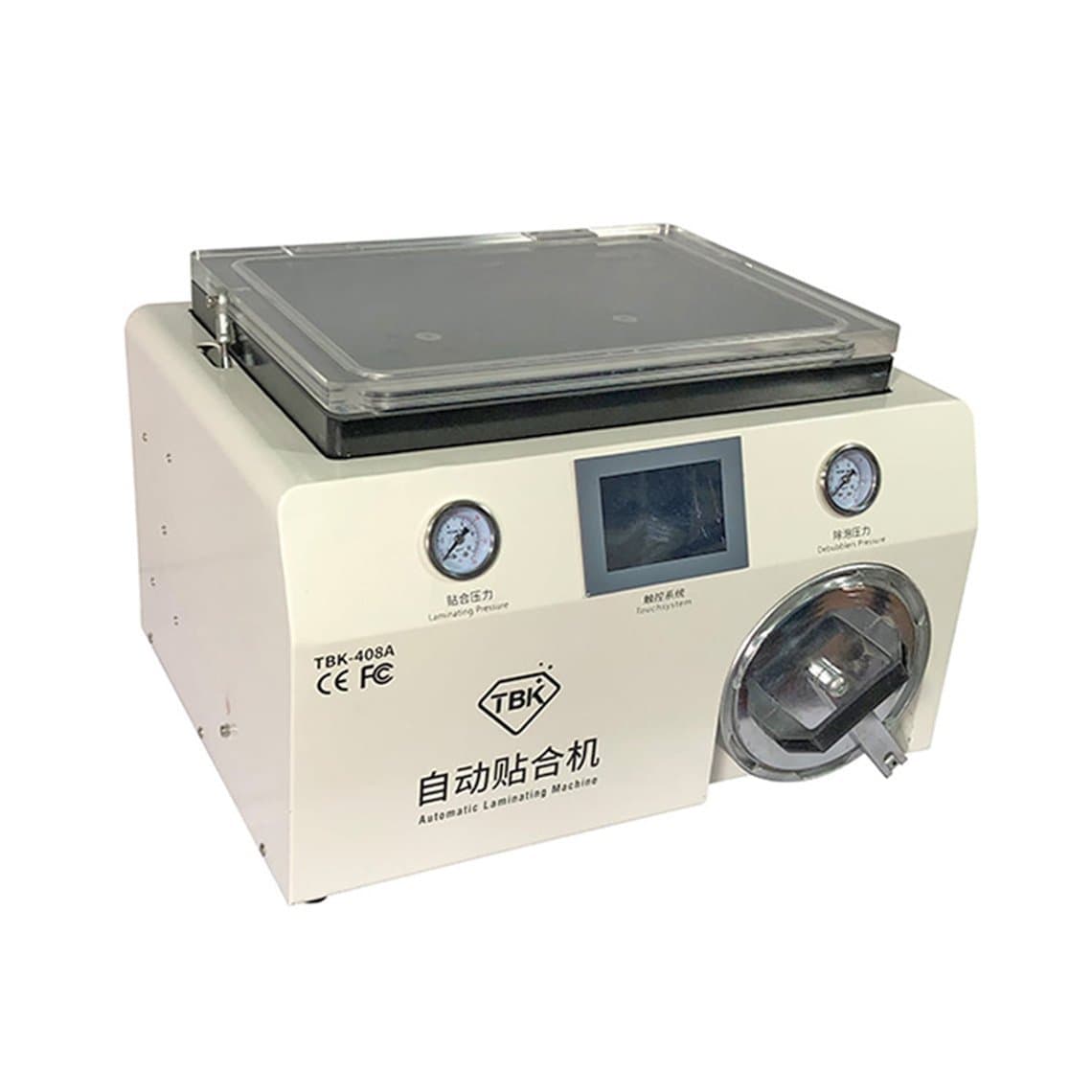
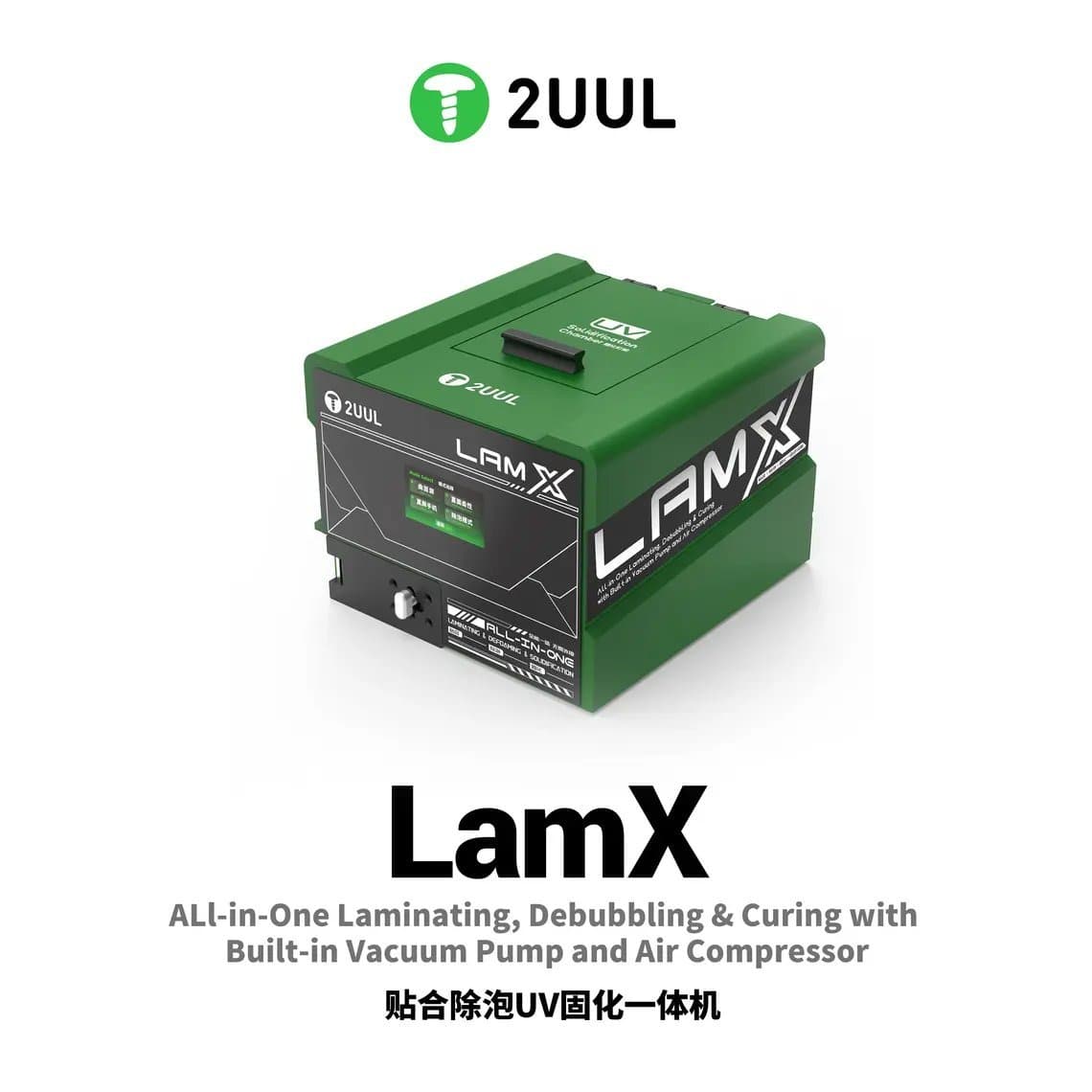
These combine the laminating chamber and the bubble remover in one unit. Some also add a built-in vacuum pump and air compressor, which saves bench space and removes the need for external equipment. Examples include the TBK-408A 15 inch laminating machine and debubbler in one, the 2UUL LD01 Lamx with built-in pump and compressor, and the JCID AL-05P 16-inch 3-in-1 machine, which adds UV curing for screens that use liquid glue at the edges.
All-in-one units suit small and mid-size shops that refurbish a steady number of screens and want one machine to learn. The trade-off is that you cannot laminate one screen while another is debubbling in the same machine.
Separate laminator and autoclave
Higher-volume lines often run a dedicated laminator next to a dedicated bubble remover. While one batch debubbles, the next screens are being laminated. A dedicated autoclave such as the TBK-405 15-inch mini autoclave bubble remover pairs well with a standalone vacuum laminator like the TBK-808A 13 inch vacuum laminator or the TBK-808 automatic laminating machine.
Curved-screen capable units
Curved-edge OLED screens, common on many Samsung and other Android flagships, need a machine and moulds designed for curves. A flat-only laminator cannot press OCA evenly around a curved edge, and the result is bubbles or lifting along the sides. Machines like the TBK-208C curved screen laminating bubble remover are built for this work. Curved lamination is harder to learn and less forgiving than flat lamination, so expect more practice screens.
3-in-1 and compact machines
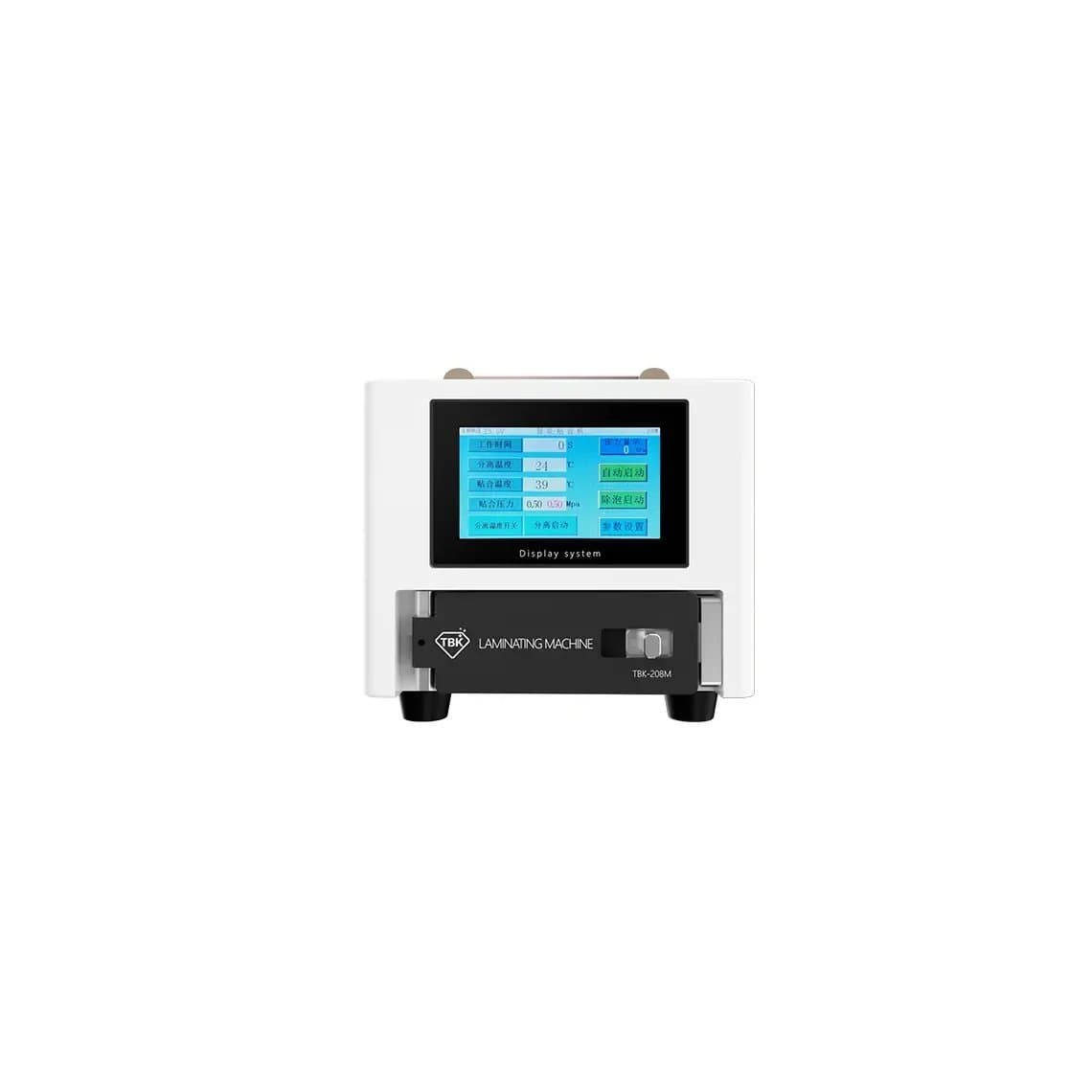
For smaller screens, some units combine separating, laminating and defoaming. The TBK-208M 3 in 1 machine for screens below 8.5 inches is one example. These are a reasonable starting point for a shop that wants to try refurbishing without filling the bench with separate machines. For other ready-made combinations, see the refurbishing starter kits.
Moulds and lamination pads
The mould holds the display and the glass in exact alignment during lamination. Most machines use model-specific moulds, and some use universal pads that sit under the screen to even out pressure, such as the 2UUL LD11 anti-bubble lamination pad. Mould availability for the models you repair is one of the most important buying factors, and it is easy to overlook.
Comparison at a glance
| Setup | Best for | Main advantage | Main limitation |
|---|---|---|---|
| All-in-one laminator and debubbler | Small to mid-size shops | One machine, less bench space | One job at a time |
| Separate laminator and autoclave | Higher-volume lines | Laminate and debubble in parallel | More space, more cost, two machines to maintain |
| Curved-screen unit | Curved OLED models | Even pressure around curved edges | Harder to learn, needs curved moulds |
| 3-in-1 compact unit | Starting out, small screens | Separate, laminate and debubble in one | Size limits, less throughput |
What to check before you buy
- Vacuum strength and pump. A weak or slow vacuum is the most common cause of bubbles that the autoclave cannot clear. Check whether the pump is built in or external, and whether the machine has a vacuum gauge so you can see what it reaches.
- Mould compatibility. Confirm moulds exist for the phone models you actually repair, and that new moulds will be available as new models launch.
- Flat vs curved. If you repair curved-edge screens, buy a machine that supports them. Retrofitting a flat-only machine rarely works well.
- Size range. Product titles list the maximum screen size, such as 7, 13, 15 or 16 inches. Phones need much less, but tablets need the larger chambers.
- Air compressor. Autoclaves need compressed air. Some machines have a built-in compressor; others need an external one, which adds noise and space.
- Power voltage. Check the machine matches your local supply (110V or 220V) or that the seller can supply the right version. Do not run it on an underrated adapter.
- Controls. Adjustable time, temperature and pressure let you tune the process for different screens. Clear displays make repeat settings easier.
- Spare parts and support. Seals, heating elements, pump parts and moulds wear out. Check you can get them, and look at the warranty terms.
Common defects and what causes them
| Defect | Likely causes | Fix or prevention |
|---|---|---|
| Bubbles that remain after debubbling | Weak vacuum, old or poor OCA, too short or too cool a debubble cycle | Check vacuum level and seals, use fresh OCA, adjust the autoclave cycle |
| Dust spots under the glass | Dirty work area, static on liners, cleaning not finished | Clean room or dust-free cabinet, ionizing blower, inspect before laminating |
| Misaligned glass | Wrong or worn mould, screen not seated, glass moved when closing | Use the correct mould, seat parts carefully, check alignment before vacuum |
| Lifting or bubbles on curved edges | Flat machine or flat mould used on a curved screen, uneven pressure | Use a curved-screen machine and moulds |
| Creases or ripples in the OCA | Film stretched or folded while applying | Apply OCA slowly with a roller, keep the film flat |
| Mura, pressure marks or dead areas | Too much pressure or heat, damage during separation | Follow the machine's recommended settings, test the display before laminating |
A bubble remover cannot fix everything. Large bubbles, dust and misalignment are locked in at the laminating stage. Fixing those means starting over with new OCA, so it is cheaper to get the steps before lamination right.
Cleanroom and dust control
Dust is the biggest enemy of lamination. A single particle trapped between the display and the glass shows as a bright spot that the customer will notice. You do not need a factory cleanroom, but you do need a controlled space:
- A dust-free cabinet or a small enclosed room for laminating, separate from soldering and grinding work.
- Lint-free gloves, finger cots and anti-static clothing.
- An ionizing blower to remove static when peeling OCA liners, since static pulls dust onto the film.
- Dust-removal tape or rollers to lift particles from the display just before lamination.
- Good overhead lighting and a magnifier or microscope to inspect the surface before the glass goes on.
Keep the machine itself clean too. Wipe the mould and chamber regularly, and check the seals for debris that can weaken the vacuum.
Safety
Bubble removers are pressure vessels. Never open the chamber while it is under pressure, and do not disable the safety valve or door lock. Heated plates and chambers can burn, so let them cool before cleaning. Separation and lamination are done on display assemblies only, never on a phone with the battery fitted. Ground yourself and the bench, as display flex cables and driver chips are sensitive to static discharge.
Questions
Do I need a separate bubble remover if my laminator has vacuum?
Usually yes. Vacuum lamination removes most of the air, but small bubbles almost always remain. An autoclave cycle with heat and pressure clears them. All-in-one machines include both functions in one unit, which is why they are popular.
Can one OCA laminating machine handle both flat and curved screens?
Some machines are sold as curved-screen capable and can also do flat screens with the right moulds. A flat-only machine cannot laminate curved-edge screens properly. Check the product description and the moulds supplied before buying.
Why do bubbles come back after debubbling?
Bubbles that return are often caused by dust, old OCA or trapped moisture rather than the debubbler itself. They can also appear if the screen was not left in the autoclave long enough. Check vacuum level, film quality and cleaning first.
What size OCA laminating machine do I need?
For phones, almost any machine works. If you also refurbish tablets, choose a larger chamber; product titles state the maximum size. Bigger chambers take more space and may take longer to pump down.
You can compare all-in-one, separate and curved-screen units in our laminating and bubble removing machines category, or browse the full range of refurbishing machines. Repair shops and refurbishers buying in volume can open wholesale pricing, and repeat buyers can reorder by SKU through Quick Order.