Phone Repair Tool Kit: What a Starter Kit Should Include
17 November 2026 · LightspeedTools team
Short answer: A good phone repair tool kit covers six jobs: opening the phone (picks, spudgers, suction cup, heat), removing screws (precision drivers and a screw mat), handling parts (tweezers and ESD protection), adhesive (new strips and a remover), testing (USB tester and screen tester) and cleaning (isopropyl alcohol and brushes). Buy a ready-made kit to start fast, then replace the drivers, tweezers and picks with better individual tools as your volume grows.
This guide is the starter checklist. For the complete bench list, including machines and board-level equipment, see our full phone repair tools list.
The starter checklist, job by job
Think in jobs, not in piece counts. A kit with 80 pieces that misses a heat source or a decent pair of tweezers is less useful than a 15-piece kit that covers every step of a screen or battery replacement.
1. Opening the phone
- Thin opening picks. Plastic or flexible metal picks slide into the adhesive seam and stop it from re-sealing while you work around the edge.
- Spudgers. Nylon or plastic spudgers for disconnecting flex connectors and lifting parts without shorting anything. A set like the plastic spudger 3-piece set is cheap enough to keep several on every bench.
- Metal pry tools. Thin metal blades give more leverage on tough frames and glued batteries, for example the BEST metal opening pry set. Use them with care: metal scratches frames, cuts flex cables and can puncture a battery.
- Suction cup. Lifts the screen or back glass enough to insert the first pick. Our suction cups range includes single and handle-style options.
- Heat. Warming the edges softens the adhesive. A heating pad or a controlled hot air gun works; keep heat moderate to protect the display and the battery.
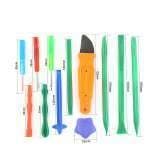
Dedicated screen opening tools such as the BST-115 15-in-1 screen opening kit bundle most of these in one pack.
2. Screws
- Precision screwdrivers. At minimum you need pentalobe, tri-point, small Phillips and Torx bits. Exact sizes vary by model and brand, so check before you start a new model. See our screwdrivers and bits.
- A bit set with storage. A box set such as the Jakemy JM-8173 multi-layer tool box set keeps bits organised and easy to check.
- Magnetic or grid screw mat. iPhone screws differ in length, and a long screw in the wrong hole can damage the board. Lay screws out in the same pattern as the phone on a repair mat.
- Magnetic pick-up. A small magnetic pick-up tool helps recover dropped screws.
3. Handling parts
- Tweezers. One straight and one curved pair, ideally anti-static. Cheap tweezers with misaligned tips cause most dropped screws and torn flex cables. Our guide to tweezers for phone repair covers tip shapes in detail, or browse tweezers.
- ESD strap and mat. Static can damage screens and board components without any visible spark. A grounded wrist strap and an anti-static mat are cheap insurance. See ESD protection.
4. Adhesive
- Pre-cut adhesive strips for the models you repair most, plus a roll of double-sided tape for everything else.
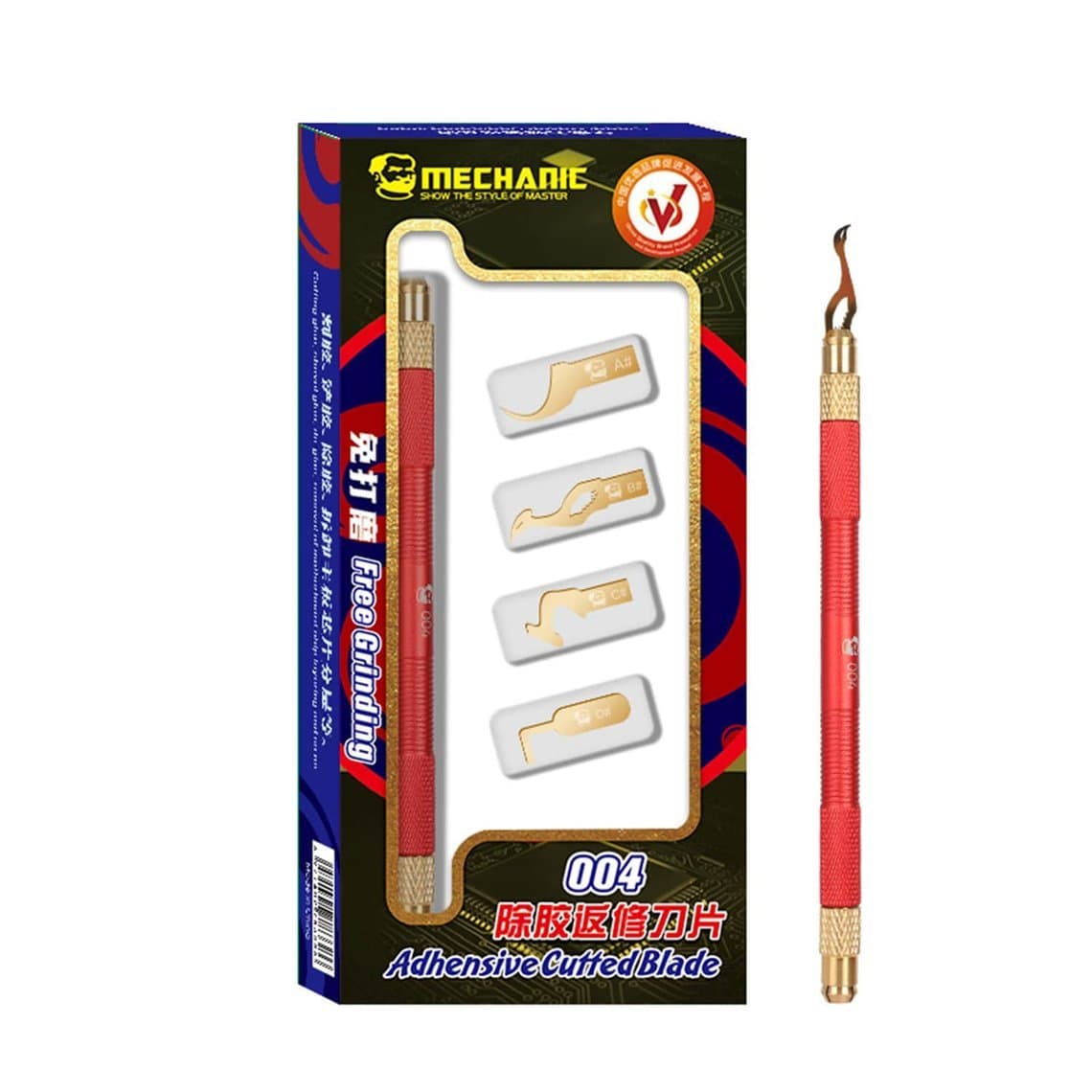
- Adhesive remover or scraper. Old adhesive has to come off cleanly or the new screen will not sit flat. A plastic scraper, a blade, or a dedicated remover such as the Mechanic 004 glue remover scraper set does the job; avoid gouging the frame.
- Battery pull-tab adhesive. On phones that use stretch-release battery strips, keep spares for the models you see often.
More options are in adhesive removal tools.
5. Testing
- USB tester. Shows voltage and current while the phone charges, which quickly separates a port or cable fault from a battery or board fault. See USB testers.
- Screen tester. Lets you check a replacement display before you glue it in. Not every shop needs one on day one, but it saves a lot of rework. Browse screen testers.
- Test the screen before closing. Even without a tester, connect the new screen and check touch, brightness and colour across the whole panel before applying adhesive.
6. Cleaning
- Isopropyl alcohol (IPA), high purity, for cleaning adhesive residue, flux and connectors. Use it only on a powered-off device with the battery disconnected, and keep it away from heat. See cleaning liquids.
- Anti-static brushes for dust and debris on connectors and around the board.
- Lint-free wipes for screens and camera lenses.
Starter kit summary table
| Job | Must have | Nice to have later |
|---|---|---|
| Opening | Picks, plastic spudgers, suction cup, heat source | Metal pry blades, screen separator clamp |
| Screws | Precision drivers with pentalobe, tri-point, Phillips, Torx | Electric precision screwdriver |
| Organising | Magnetic or grid screw mat | Screw organiser trays per model |
| Handling | Straight and curved tweezers, ESD strap | Anti-static mat across the whole bench |
| Adhesive | Strips for common models, double-sided tape, scraper | Dedicated remover tools |
| Testing | USB tester | Screen tester, battery tester |
| Cleaning | IPA, brushes, lint-free wipes | Alcohol dispenser bottle |
The next level: micro-soldering
Charging ICs, backlight circuits, torn pads and damaged connectors all need board-level work. When customers start asking for those repairs, the next tier of tools looks like this:
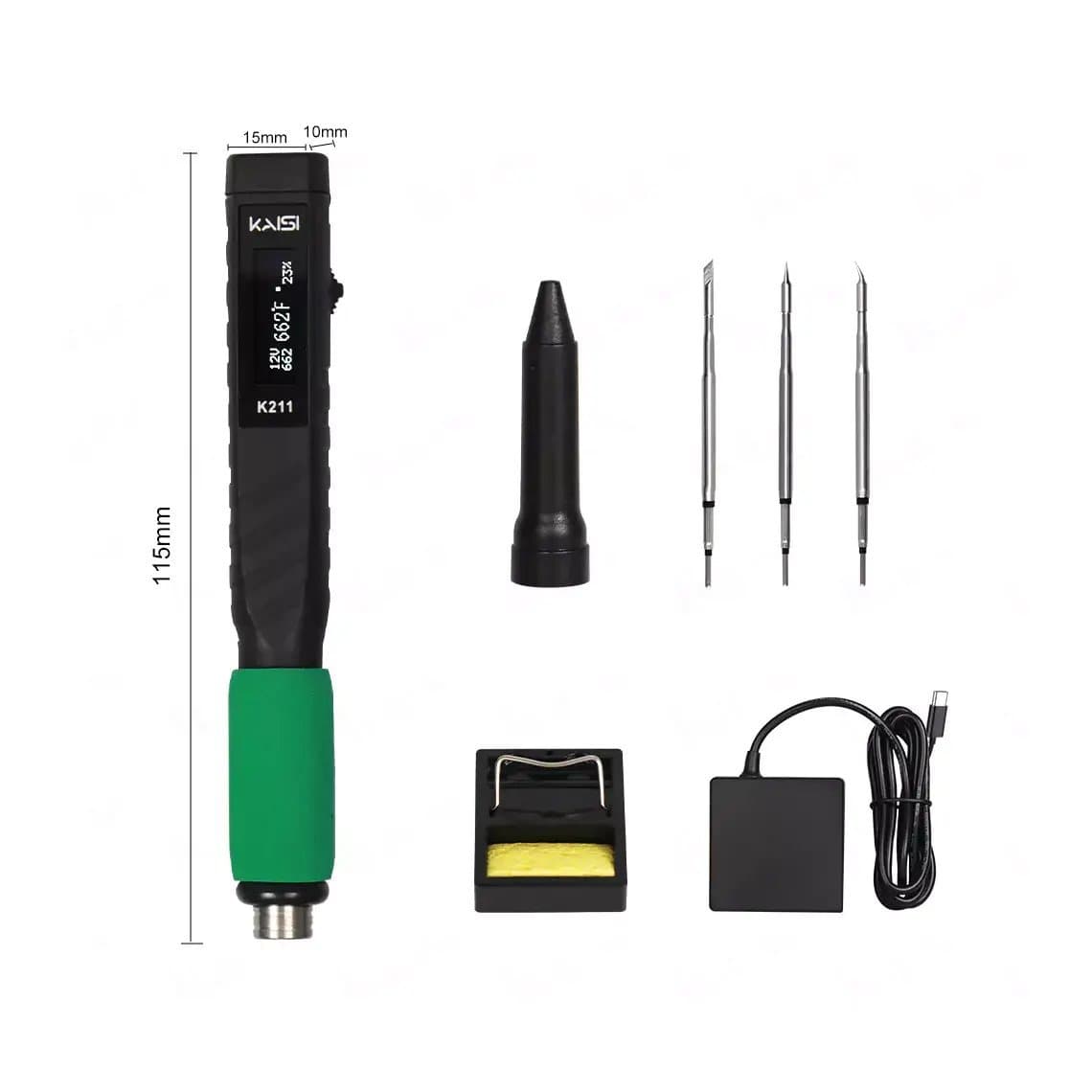
- Soldering station or smart iron with fine tips. A portable iron such as the Kaisi K211 65W soldering iron kit is a common first step; a full station gives more stable temperature.
- Hot air rework station for removing and refitting components and connectors. See hot air rework stations.
- Microscope. A stereo microscope is essential for seeing what you are soldering. Browse microscopes.
- Flux, solder wire, solder paste and wick. Good no-clean flux matters as much as the iron. See flux.
- Glue and underfill removal. Chips are often glued down; a set like the BST-70 BGA chip glue pry set helps lift them after heating.
- Reballing stencils and fixtures once you move into chip-level work.
Our micro-soldering kits group these into entry, mid and pro levels. Learn the basics on scrap boards before working on customer phones; heat, flux fumes and lithium batteries all need care, so always disconnect or remove the battery before board work.
Ready-made kit or build your own?
| Ready-made kit | Build your own | |
|---|---|---|
| Cost to start | Low; one purchase | Higher, spread over time |
| Coverage | Broad, but includes tools you may never use | Exactly the tools your jobs need |
| Quality | Mixed; drivers and tweezers are often the weak points | You choose quality where it matters |
| Storage | Usually comes in one case, easy to carry | Needs your own organisers |
| Best for | New technicians, mobile repair, spare bench kits | Busy shops, specialised work |
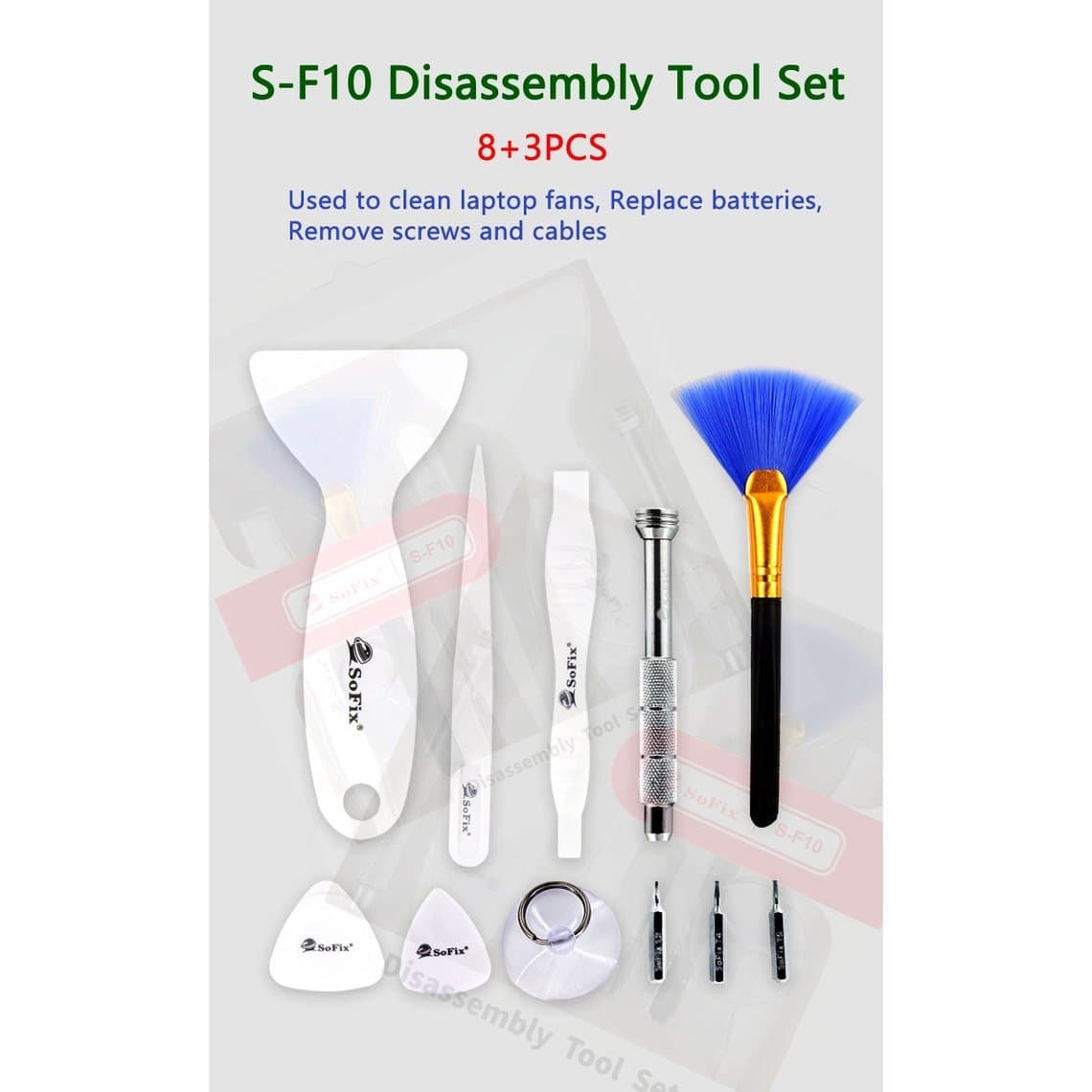
A practical approach many shops take: start with an all-in-one kit such as the SoFix S-F10 disassembly set or the 12-in-1 portable phone and laptop kit, then upgrade the tools you use most. Drivers, tweezers and picks wear out first and have the biggest effect on the quality of your work. If you are planning a full shop, our guide on how to start a phone repair business covers equipment budgets beyond the tool kit.
Quality signals to check
- Tip precision. Tweezer tips should meet exactly when closed, with no gap and no crossing. Screwdriver bits should fit snugly with no wobble.
- Bit hardness. Soft bits round off quickly and then strip screws. If a bit looks worn after a few weeks, it was too soft.
- ESD-safe materials. Look for tools sold as anti-static or ESD-safe, especially tweezers, brushes and spudgers used near the board.
- Thin, flexible picks. Picks should be thin enough to enter a tight seam but stiff enough not to fold.
- Metal tool edges. Pry blades should be thin and smooth, without burrs that scratch frames.
- Storage. A case with a fixed place for each tool makes missing tools obvious at the end of the day.
Common mistakes with a first kit
- Buying on piece count instead of checking the drivers and tweezers.
- Using metal tools near the battery. A punctured lithium battery can catch fire; use plastic tools there and keep a fire-safe container nearby.
- Too much heat when opening, which can damage the display or the battery.
- Skipping ESD protection because "nothing happened last time".
- Mixing up screws because there was no mat.
Questions
What should be in a basic phone repair tool kit?
Opening picks, spudgers, a suction cup, a heat source, precision screwdrivers with pentalobe, tri-point, Phillips and Torx bits, tweezers, a screw mat, adhesive strips and a remover, isopropyl alcohol and a brush. An ESD strap and a USB tester are worth adding from the start.
Are cheap phone repair tool kits good enough?
They are fine for learning and for occasional repairs. The weak points are usually the screwdriver bits and tweezers, which wear or misalign quickly. Upgrade those first once you are repairing every day.
Do I need a heat gun to open a phone?
Most modern phones use adhesive that is much easier to separate when warm, so some heat source helps. A heating pad or a hot air gun on a moderate setting both work. Avoid overheating, which can damage the display and the battery.
What tools do I need for micro-soldering?
A soldering station or smart iron, a hot air station, a stereo microscope, flux, solder, wick and fine tweezers. Many technicians add a preheater and reballing stencils later. Start with an entry kit and practise on scrap boards.
See our ready-made repair kits and the wider starter kits range to equip a new bench. Shops kitting out several technicians can unlock trade pricing through wholesale, and repeat orders by SKU or CSV are quickest through Quick Order.