iPhone Charging Flex vs Charging IC: How to Tell Which Failed
17 November 2026 · LightspeedTools team
Short answer: If an iPhone charges with a known-good charging port flex fitted, the old flex was the fault. If it still will not charge, shows fake charging or is not seen by a computer with a good flex, the problem is on the board, often the USB/charging control IC or its supporting parts. Test in order: clean the port, read a USB tester, swap a known-good flex, check on a DC supply, then measure the lines in diode mode.
Charging faults are some of the most common iPhone jobs, and the costly mistake is jumping to board work when a dirty port or a cheap flex was the real cause. The opposite mistake, fitting flex after flex on a phone with a failed charging IC, wastes parts and the customer's patience. This guide shows how to tell the two apart with a short, repeatable test sequence.
What sits on each side
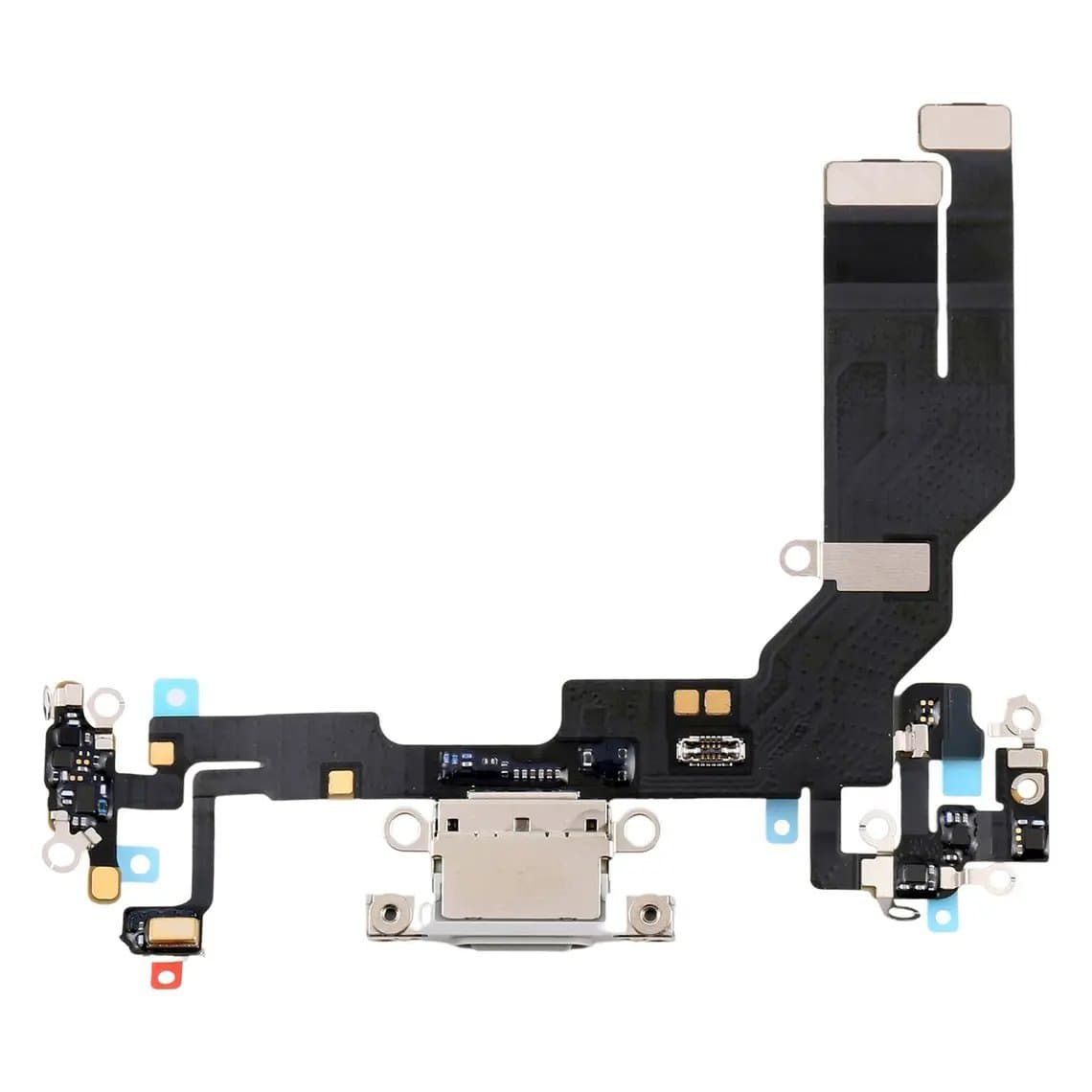
The charging port flex carries the Lightning or USB-C receptacle and connects to the logic board through an FPC connector. On many iPhone models the same flex also carries the bottom microphone and some antenna or speaker contacts, but the exact layout differs between generations.
The board side is where charging is controlled. One IC identifies what is plugged into the port and manages the USB data lines. On older iPhones this is often called the U2 chip by repair techs. Charging itself is handled by a charger IC and power-management circuitry, plus filters, fuses and protection parts on the input line. How these jobs are split varies a lot by generation. USB-C models in particular moved some functions around. So treat "charging IC" as a group of parts, not one chip, and confirm with the schematic or boardview for the exact model.
Symptoms that point to the flex or port
- Charging works only at certain cable angles, or the cable feels loose. Usually lint packed in the port or a worn receptacle.
- Visible damage. Burnt, bent or corroded contacts, or a cracked USB-C tongue.
- "Accessory not supported" with several known-good cables. Often the port or flex, though the board-side IC can cause it too.
- Liquid detected warning that will not clear after the port has dried. Moisture or corrosion in the port or flex is the usual cause.
- The bottom mic fails along with charging. On many models the bottom mic sits on the charging flex, so both failing together points strongly at the flex. Check which mic your model uses in iPhone microphone not working: which mic is faulty.
- Recent drop, liquid exposure or earlier repair near the bottom of the phone.
Symptoms that point to the board-side IC
- No charging with a known-good flex fitted correctly and a known-good cable and charger.
- Fake charging. The charging icon shows but the percentage does not rise, or it charges very slowly regardless of charger.
- No computer connection while charging works. The data side of the USB control IC, or the data lines, are the usual suspects.
- Battery drain or heat with nothing plugged in, especially warmth near the charging area of the board. A leaking IC on the input line can cause this.
- Abnormal current on a DC supply when the phone is off, or a supply reading that does not change when a charger is plugged in.
- History of cheap chargers or liquid damage on the board itself, not just the port.
These lists overlap. A damaged flex can short a line and stress the IC, and a failing IC can look like a bad port. That is why the tests below always come before parts are ordered.
Tests in order
1. Clean and inspect the port
Power the phone off. Remove lint with a plastic or wooden pick, never a metal tool, and finish with a little isopropyl alcohol on a brush. Inspect the contacts under a microscope for burning, corrosion or bent pins. A surprising number of "dead charging" phones are fixed at this step.
2. Read a USB tester
Put a USB tester between the charger and the cable and plug in the phone. Note the voltage and current with the screen on and off. A reading of zero current, a current that stays very low, or a current that rises and drops in a cycle each tells you something different. We go through what each reading means in USB tester readings for phone repair. Use the same known-good charger and cable each time so the numbers are comparable.
3. Fit a known-good flex
This is the deciding test. Temporarily connect a known-good charging flex for that exact model without fully reassembling. Model matters: for example, an iPhone 15 charging port flex is not the same part as an iPhone 15 Plus, iPhone 15 Pro or iPhone 15 Pro Max flex. Later models such as the iPhone 16, iPhone 16e/17e, iPhone Air and iPhone 17 each need their own part too.
- Charges normally with the test flex: the old flex was faulty. Fit the new one and test the mic and speaker too.
- Same fault with the test flex: move to the board. Also inspect the board-side FPC connector for bent pins or corrosion before blaming the IC.
Keep a tested flex for your most common models on the bench just for this step. The full port replacement process is in our iPhone charging port repair guide.
4. Check on a DC power supply
Power the board through a boot cable from a bench supply instead of the battery. With the phone off, a current draw that should not be there points to a leaking or shorted part. Then plug a charger into the port: on a healthy board the supply current usually drops, because the charger starts carrying the load. If nothing changes, the board is not accepting input power, which points at the input line, its protection parts or the charging circuitry. Exact behaviour differs by model, so compare with a known-good board where you can.
5. Measure the lines in diode mode
Set a multimeter to diode mode. With the battery disconnected, put the red probe on ground and the black probe on each pin of the charging flex connector on the board: the input power line, the data lines and the ID lines. Compare each reading with known-good values from the schematic or boardview for that model, or with a known-good board.
- Reading near zero: a short to ground on that line. Find the shorted part before changing any IC.
- Open line (no reading): a broken track, missing filter or failed fuse between the connector and the IC.
- Readings that are off on lines tied to the control IC: the IC itself becomes the likely culprit, especially if the surrounding parts test good.
Flex or IC: a quick comparison
| Finding | Points to |
|---|---|
| Fixed by cleaning | Port debris |
| Fixed by known-good flex | Charging flex |
| Bottom mic and charging both dead | Flex on most models |
| Same fault with known-good flex | Board: connector, line parts or IC |
| Charges but no computer connection | Data lines or USB control IC |
| Short on input line in diode mode | Shorted part on the input line |
| Drain or heat with nothing plugged in | Leaking board-side part |
Replacing a charging IC is board-level work
If the tests point to the IC, the fix is micro-soldering: hot air or preheater removal, cleaning the pads, reballing or fitting a pre-balled chip with a stencil, and careful reflow. Some boards have underfill that must be removed without lifting pads. You need a microscope, good flux, temperature control and a stable hand. If your shop does not do board work yet, send these jobs to a board-level tech rather than practising on a customer phone.
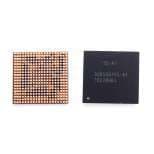
Get the exact part number for the board, not only the model name. For example, the iPhone 6S / 6S Plus U2000 power IC 338S00155-A1 is listed by its own reference. Browse replacement chips in iPhone ICs. After replacement, retest charging, data connection and standby current before the phone goes back.
Common mistakes
- Replacing the flex without cleaning the port first. The new flex may not have been needed.
- Testing with one unknown cable and charger. Keep a tested set at the bench.
- Using a flex from the wrong model. Similar-looking flexes from neighbouring models do not always fit or work.
- Changing the IC without checking for shorts. A shorted capacitor can make a good IC look dead, or kill a new one.
- Ignoring liquid damage. Corrosion under the board connector can mimic both faults.
- No ESD protection. Charging circuitry is sensitive. Use a mat and wrist strap and disconnect the battery before touching the board.
Questions
How do I know if my iPhone charging IC is bad?
Fit a known-good charging flex first. If the phone still does not charge, shows fake charging or is not recognised by a computer, and the port and cable are fine, the board-side charging circuit is likely at fault. Diode-mode readings compared with a known-good board help confirm whether the IC or a surrounding part has failed.
Can a bad charging port damage the charging IC?
It can. A shorted or corroded port, or a cheap charger, can put stress on the input line and the parts behind it. That is why a new flex sometimes does not fix the fault: the damage already reached the board.
Why does my iPhone charge but not connect to a computer?
Charging and data use different lines. If charging works but data does not, check the cable and the port contacts first, then the data lines and the USB control IC on the board. A known-good flex quickly rules the port in or out.
Is replacing the charging IC worth it?
On many models it is a common board repair and cheaper than a replacement board, but it needs micro-soldering skills and the right tools. If the board also has heavy liquid damage, the repair may not last, so weigh the board's overall condition first.
Find charging port flex cables for each model under iPhone parts, and replacement chips under iPhone ICs. Shops buying regularly can unlock trade pricing through wholesale and reorder by SKU or CSV with Quick Order.