Phone Overheating After Repair: What to Check and How to Fix It
17 November 2026 · LightspeedTools team
Short answer: A phone that runs warm for a few hours after a repair, especially after a restore, backup or update, is usually normal. Heat that continues, gets worse, or comes from one spot points to a real fault: a poor or damaged battery, a short or part drawing current, a charging problem, or a misbehaving camera or Face ID part. Check battery stats, measure current with a USB tester or DC power supply, and use a thermal camera to find the hot spot. If the battery is swelling, stop using the phone.
Customers notice heat. A phone that feels warm the day after a repair gets blamed on the repair, whether or not it is. For a technician the job is to tell normal warmth from a fault quickly, find where the heat comes from, and fix it before it becomes a battery safety problem. This guide covers what is normal, the common causes after a repair, and a diagnostic order that works on most phones.
Normal warmth vs a real problem
After a repair, phones often do a lot of work in the background. A phone restored from a backup re-downloads apps, photos and messages, rebuilds search and photo indexes, and syncs with cloud services. A phone that was fully drained may be fast-charging at the same time. All of that produces heat for several hours, sometimes for a day or two with a large photo library.
| Usually normal | Needs checking |
|---|---|
| Warm for a few hours after setup, restore or an update | Hot after several days of normal use |
| Warm while fast-charging, cools when charging ends | Hot while idle, screen off, not charging |
| Warm during gaming, video calls or navigation | Battery drains quickly with little use |
| Heat spread evenly across the back | Heat concentrated in one spot |
| Battery percentage falls at the usual rate | Bulging screen, gap at the frame, or a swollen back |
A simple rule for customers: if the phone is still noticeably warm while idle on a desk 48 hours after the repair, bring it back. For technicians, an idle phone with the screen off should be close to room temperature after it settles.
Common causes of overheating after a repair
Poor-quality or wrong battery
A low-grade replacement battery can have higher internal resistance, which turns more of the current into heat, especially while charging. A battery that does not match the model, or one that has been sitting in stock for a long time, can behave badly too. Use batteries from a source you trust and that are tested before shipping; you can compare options in our iPhone batteries category.
Battery pinched, punctured or bent
A battery that was pried out with a metal tool, bent during removal, or pinched by a bracket or screw during reassembly can develop an internal short. That is dangerous. Signs include heat that starts at the battery area, a battery that will not hold charge, a soft or puffy feel, or a hiss or sweet smell. Never reuse a bent or punctured battery.
A short drawing current
If a capacitor was knocked off, a connector pin was bridged, or liquid got in during the repair, part of the board can draw current all the time. The phone stays warm with the screen off and the battery drains overnight. Our guide to phone short circuit repair covers how to locate and remove a shorted part.
A part touching something it should not
A dropped screw sitting under a shield, a screw in the wrong hole, a shield bent onto components, or a stray piece of metal from a broken bracket can create a partial short. The phone may still work, but it runs warm. Missing insulator tape on flex cables can do the same where a flex touches a shield or frame.
Charging faults
A damaged charging port, a third-party charging flex of poor quality, or debris in the port can cause the phone to charge erratically, stop and restart, or draw unusual current. Heat then appears around the bottom of the phone and the charger may feel hot as well.
A camera, Face ID or sensor part looping
If a camera, proximity sensor or Face ID part is faulty or not fully seated, some phones keep trying to initialise it in the background. That can cause heat, battery drain and sometimes restarts. Check the camera app, Face ID setup and any notices in Settings. Disconnecting the suspect part and seeing whether the heat stops is the quickest test.
Software
Background indexing, a stuck app, a sync loop, or a bad update can keep the processor busy. Battery settings usually show which app is using power. This is software, not your repair, but you still need to show the customer the evidence.
Diagnosis: a step-by-step order
1. Ask and observe
When did the heat start, is it constant or only while charging, and where exactly on the phone is it hottest? Check for swelling first: look for a lifted screen, a gap at the frame, or a back that rocks on a flat table. If you see any of that, go straight to the safety section below.
2. Check battery and usage stats
On iPhones, Settings, Battery shows usage by app and activity over the last 24 hours and 10 days. A single app with very high background use points to software. Battery health and charge cycles help you judge a battery, but remember that on recent iPhones a non-Apple battery may show an "Unknown part" notice and limited health data; that notice alone is not a fault. On Android, battery usage screens and the phone's own diagnostics menu, where available, give similar information.
3. Measure charging current with a USB tester
Put a USB tester between the charger and cable. Watch voltage and current as the phone charges from a low level. Current that jumps up and down, drops to zero and restarts, or stays high when the battery is nearly full suggests a charging port, cable, charging IC or battery problem. Compare against the same charger and cable on a known-good phone of the same model so you know what a normal curve looks like.
4. Find the hot spot with a thermal camera
A thermal camera is the fastest way to stop guessing. With the phone powered on and idle, a hot spot on the back or on the opened board tells you which area to focus on. Heat at the battery points to the battery. Heat at one component on the board, while the rest stays cool, points to a short or a failing chip. Heat near the charging port points to the port or charging circuit.
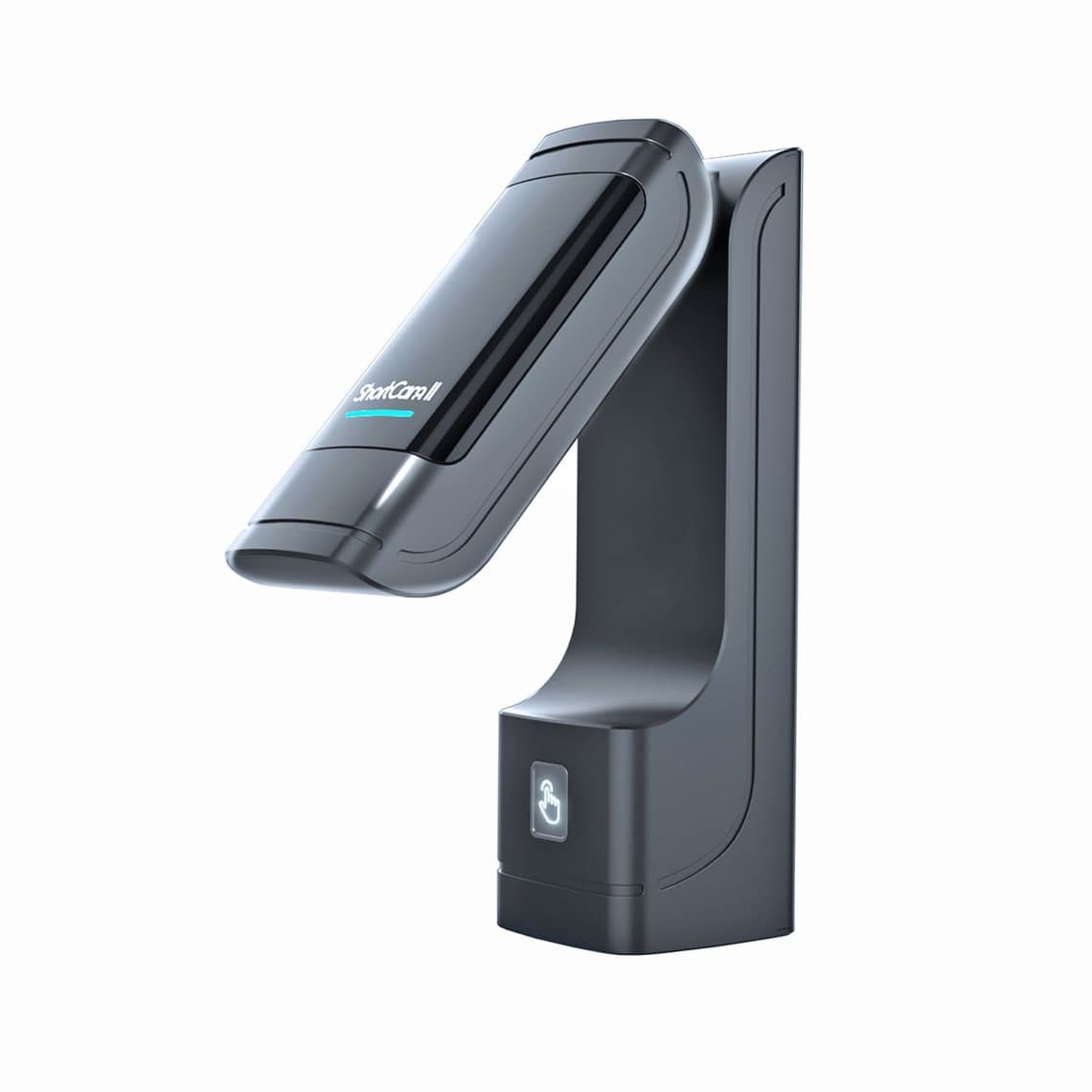
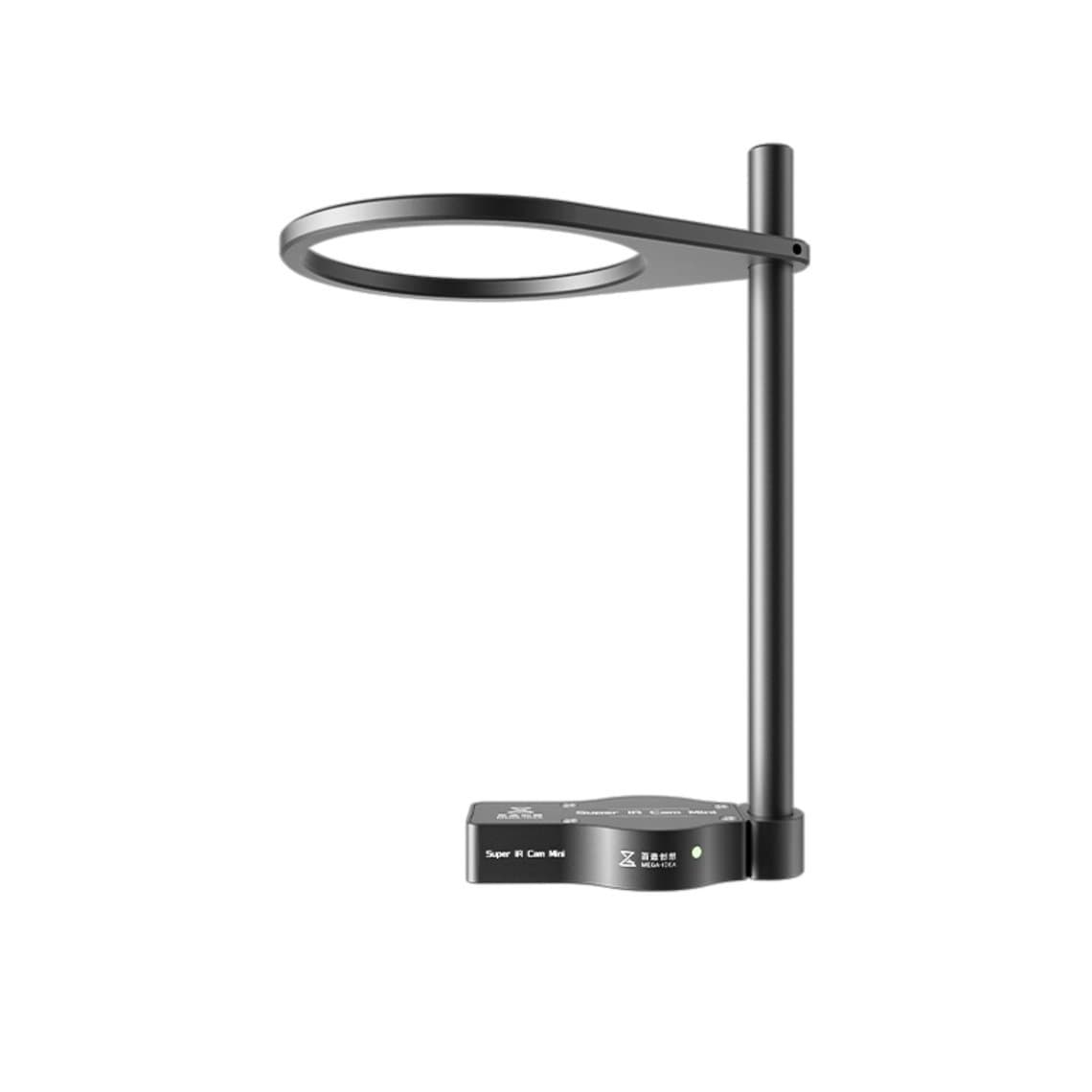
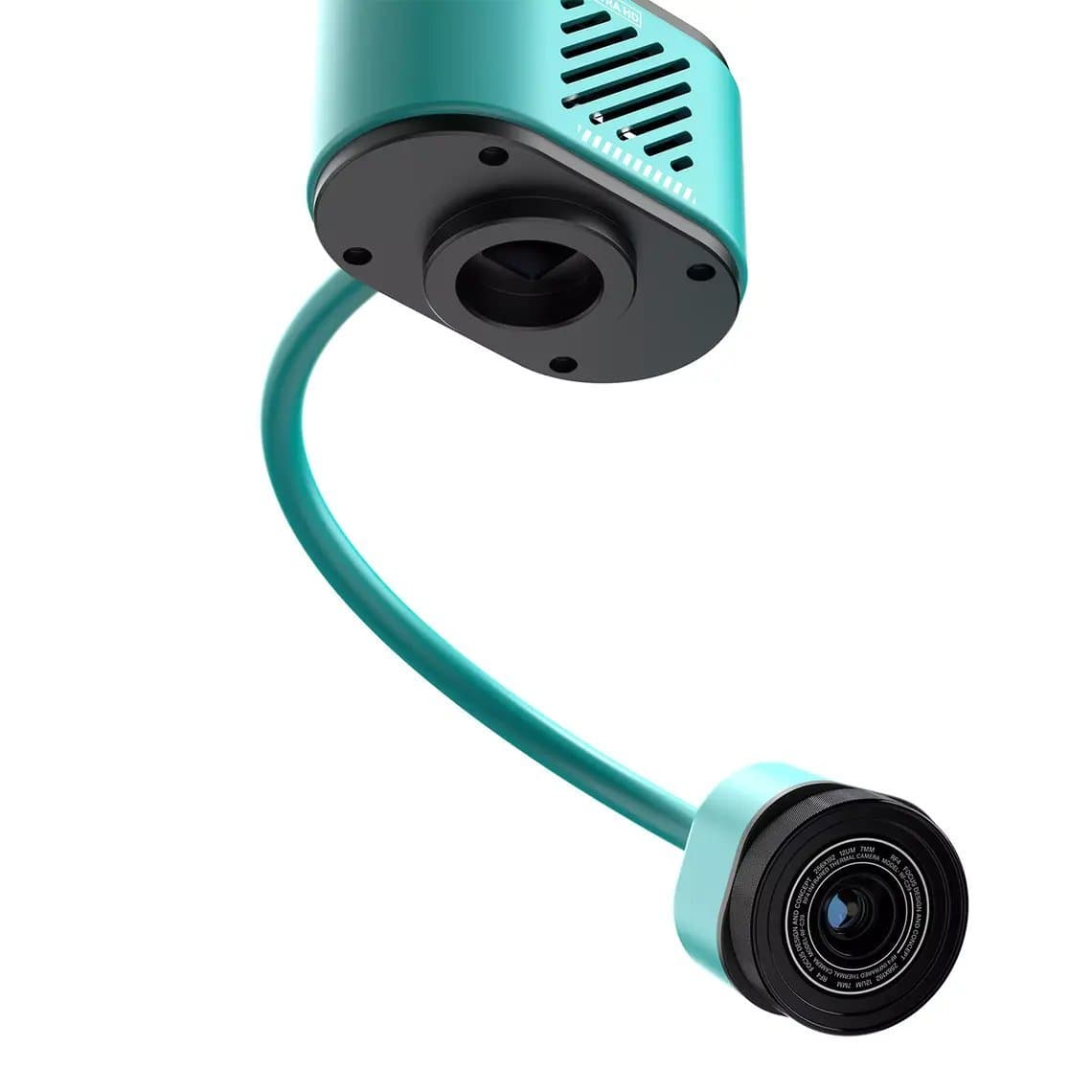
Bench options range from compact clip-on cameras to full analyser stands. Examples include the ShortCam II thermal imaging camera, the Qianli ToolPlus SuperCam X 3D thermal imager, the Sunshine TB-03S mini infrared thermal camera and the handheld UNI-T UTi120S. If you already use a microscope, a microscope-mounted unit such as the Qianli Super IR Cam Mini or a dual-view camera like the RF4 RF-C39 dual-spectral camera lets you see the hot component and the visible board together. Our thermal camera guide for phone repair covers resolution and how to use one, and you can compare models in our thermal cameras category.
5. Check idle current on a DC power supply
Disconnect the battery and power the board from a DC power supply through a boot cable or battery connector adapter, at the battery voltage for that model. Compare the current while booting and at idle against what you normally see on a known-good phone of the same model. Current that rises straight away before you press power, or that stays high when the phone should be idle, confirms a fault on the board. Raising the current limit carefully and feeling for heat, or watching with the thermal camera, then shows where it is. Our DC power supply guide explains safe settings and what to watch for.
6. Isolate parts one at a time
If idle current is high only with everything connected, disconnect parts one at a time: front camera and sensor flex, rear camera, charging flex, Face ID flex, then the display. When current drops back to normal, you have found the part or the connector causing it. Inspect that connector for bent pins, debris or liquid before you replace the part.
7. Reopen and inspect
Look for loose screws under shields, bent shields, missing insulator tape, damaged connector pins, and any sign of liquid. Check the battery for dents or creases. Everything you find should be photographed and noted on the job ticket.
Common mistakes
- Replacing the battery first without measuring. If the board has a short, a new battery heats up just like the old one.
- Testing only while charging. Charging heat is normal; idle heat is the useful symptom.
- Ignoring a swollen battery because the phone still works.
- Leaving out insulator tape or shields to save time during reassembly.
- Calling software heat a hardware fault before checking battery usage stats.
Battery safety: when to stop
Lithium batteries that are swollen, punctured or hot without load are a fire risk. If the battery is swelling, tell the customer to stop using and charging the phone and bring it in. On the bench, never puncture, crush or heat a swollen battery, and do not reuse it. Remove it carefully with plastic tools and adhesive remover rather than metal pry tools, keep a fire-safe container nearby, and store damaged batteries in a metal box with sand or a dedicated battery bag until they go to proper recycling. If a battery starts smoking, move it to the safe container and step away; do not try to cool it with your hands.
Questions
Is it normal for a phone to get hot after a battery replacement?
Some warmth during the first charge and for a few hours of setup or restore is normal. A phone that stays hot while idle for days, or drains fast, is not. Check the battery quality and fit, and measure idle current to rule out a short.
Why is my phone overheating after a screen replacement?
The display itself rarely makes a phone hot. More often a part was disturbed: a damaged connector, a screw or shield touching components, a battery that was bent during the repair, or a camera or Face ID part that is not working correctly. Background restore activity is another common and harmless cause.
How long does a phone stay warm after restoring from a backup?
It depends on how much data is being downloaded and indexed. Expect warmth for several hours, and up to a day or two on phones with large photo libraries. Keep the phone on Wi-Fi and charging overnight to let it finish.
Can a cheap replacement battery cause overheating?
Yes. Low-quality cells can have higher internal resistance or poor protection circuits, which makes them run hotter, especially while charging. Use tested batteries from a reliable supplier and reject any battery that arrives swollen or dented.
For the tools in this guide, see our thermal cameras and tested iPhone batteries, which carry a 6-month warranty. Repair shops can unlock wholesale pricing through our wholesale program and reorder SKUs quickly with Quick Order.