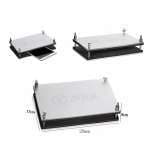
Phone Repair Holder and Clamp Guide: What to Use When
17 November 2026 · LightspeedTools team
Short answer: Use a universal holder or screen stand to keep the phone still while you open and work on it, a pressure clamp to hold a new screen or back glass while the adhesive cures, and a rotating back-glass fixture or positioning clamp when you need to lock the frame for glass removal. Mould press clamps and air presses belong to lamination, and logic boards go in a dedicated board holder. Pick by jaw material, heat resistance, adjustability and bench footprint, and never clamp harder than the job needs.
Most bench damage that is blamed on bad parts actually starts with a phone that moved: a pry tool slips into a flex cable, a screen seats unevenly because nothing held it while the glue set, or a frame bends because a clamp pressed on one corner. Holding tools fix that. This guide sorts the main types of phone repair holder and clamp by the job they do, explains how to choose between them, and covers the safe-use habits that keep screens and frames intact.
The main types of phone repair holders, clamps and fixtures
There are six families worth knowing. They overlap a little, but each one is built around a different stage of a repair.
| Tool type | Main job | Stage of repair | Typical example |
|---|---|---|---|
| Universal phone holder / screen stand | Hold the phone or display still while you work | Opening, disassembly, testing | Screen stands, multi-function housing fixtures |
| Screen-press clamp | Hold a screen or glass against the frame while adhesive cures | Reassembly | Spring clamps, magnetic pressure clamps |
| Back glass positioning clamp / rotating fixture | Lock the frame for back glass removal and refitting | Back glass work | 360° rotating fixtures, model-specific positioning clamps |
| Mould press clamp / air press | Apply even pressure to glass, OCA and display in a mould | Glass-only replacement and lamination | Mould press clamps, air presses |
| Small-device holder | Hold AirPods or watches that a normal holder cannot grip | Wearable and earbud repair | AirPods fixtures, watch holders |
| Logic board holder | Hold a bare board level and stable under the microscope | Micro soldering, diagnosis | Rotary board holders, PCB stands |
Universal phone holders and screen stands
This is the tool you reach for most often. A universal holder grips the phone by its edges so both hands are free for the pry tool, suction cup and spudger. Screen stands do the same for a display that is already off the phone, holding it upright or at an angle so you can connect and test it, or swap small parts across.
Look at three things. First, how the jaws contact the frame: padded or soft-faced jaws protect anodised aluminium and polished steel edges. Second, whether it rotates, which saves you lifting the phone every time you change sides. The 2UUL BH06 Rotatable Screen Stand is one rotating option. Third, whether it does more than one job. Multi-function fixtures such as the iFixture FT-08 Multi-Function Phone Repair Fixture are designed to cover holding during disassembly and housing work, so check the jobs and sizes each one supports.
For the screen-opening stage itself, a screen removal assistant such as the Mijing SR25 Universal Screen Removal Assistant helps lift the display evenly after the adhesive has been softened. Lift slowly and stop as soon as you feel resistance near the flex side; the full method is in our guide on opening an iPhone screen without damaging flex cables.
A small but useful extra is a flex clamp. It holds a flex cable out of the way while you work, which stops it being nicked by a blade or pinched under a part.
Screen-press clamps: holding a screen while adhesive cures
Once a new screen or glass is fitted, the adhesive needs steady, even pressure while it sets. Hand pressure for a minute is not enough with liquid adhesives, and an uneven bond leads to lifting edges, dust gaps and creaking corners. Press clamps solve this by holding the part down for the full cure time while you get on with the next job.
There are three common styles:
- Spring clamps. Simple, cheap and adjustable. Sets such as the ToolPlus iClamp 2nd 4pcs/set let you place clamps around the edges of phones and tablets.
- Magnetic pressure clamps. These use magnets for clamping force and are quick to place; check which iPhone sizes a given clamp covers before ordering.
- Pressure-holding fixtures. Frame-style fixtures hold the whole device and spread pressure across a plate rather than at a few points.
Cure times depend on the adhesive. Read the instructions for the glue you use, and remember that liquid glues and pre-cut adhesive strips behave differently: liquid glue needs clamping for the full cure, while strips mainly need firm, even seating.
Back glass positioning clamps and rotating fixtures
Back glass work puts a lot of force through the frame, whether you are scraping broken glass, cleaning adhesive or seating new glass. A fixture that locks the housing stops it twisting and keeps your hands away from the blade path.
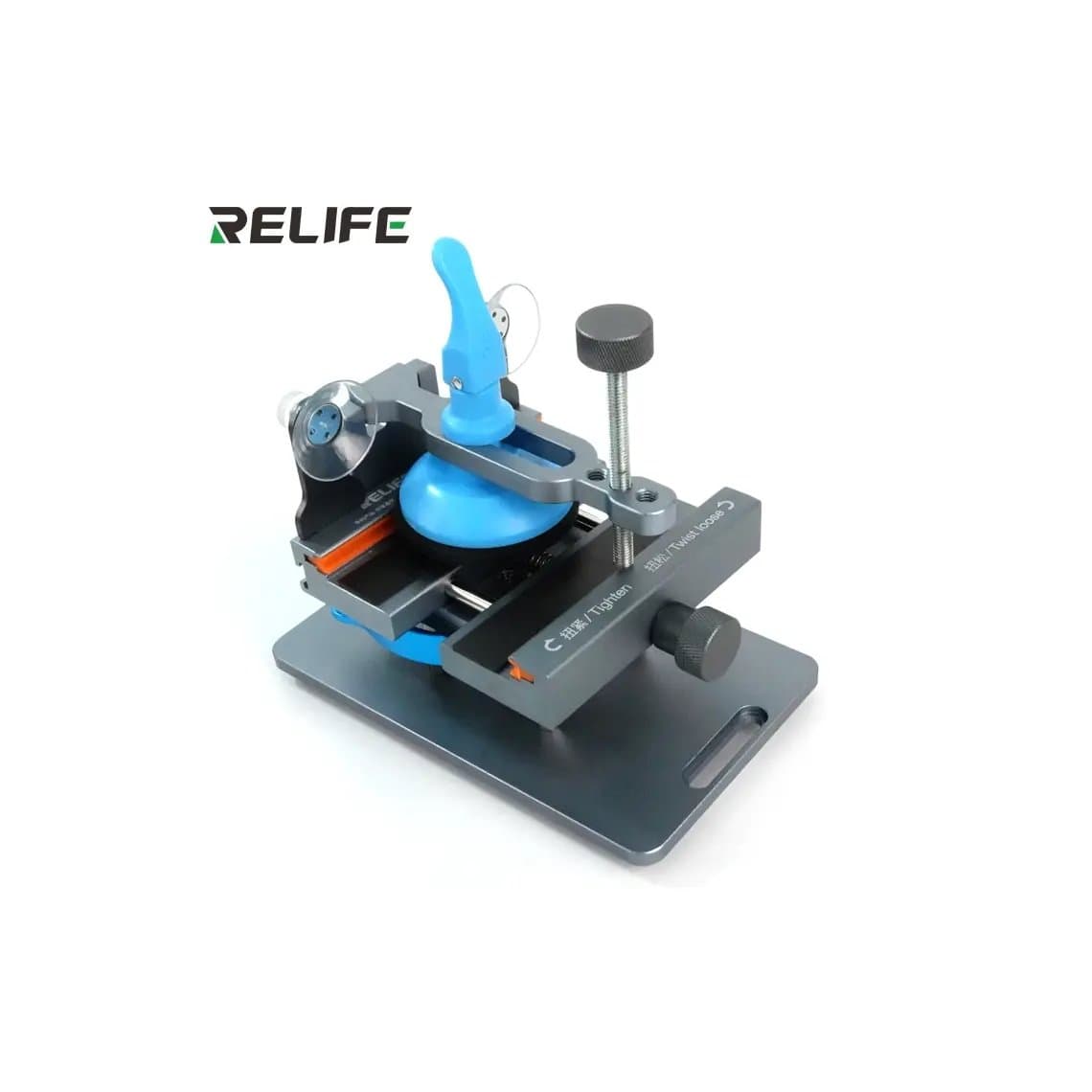
Rotating fixtures hold the phone face down and spin so you can work every edge without unclamping. The Relife RL-601S / RL-601S Plus 360° Back Glass Removal Fixture is one example. Always check the model range: some rotating fixtures are universal, others are cut for specific generations.
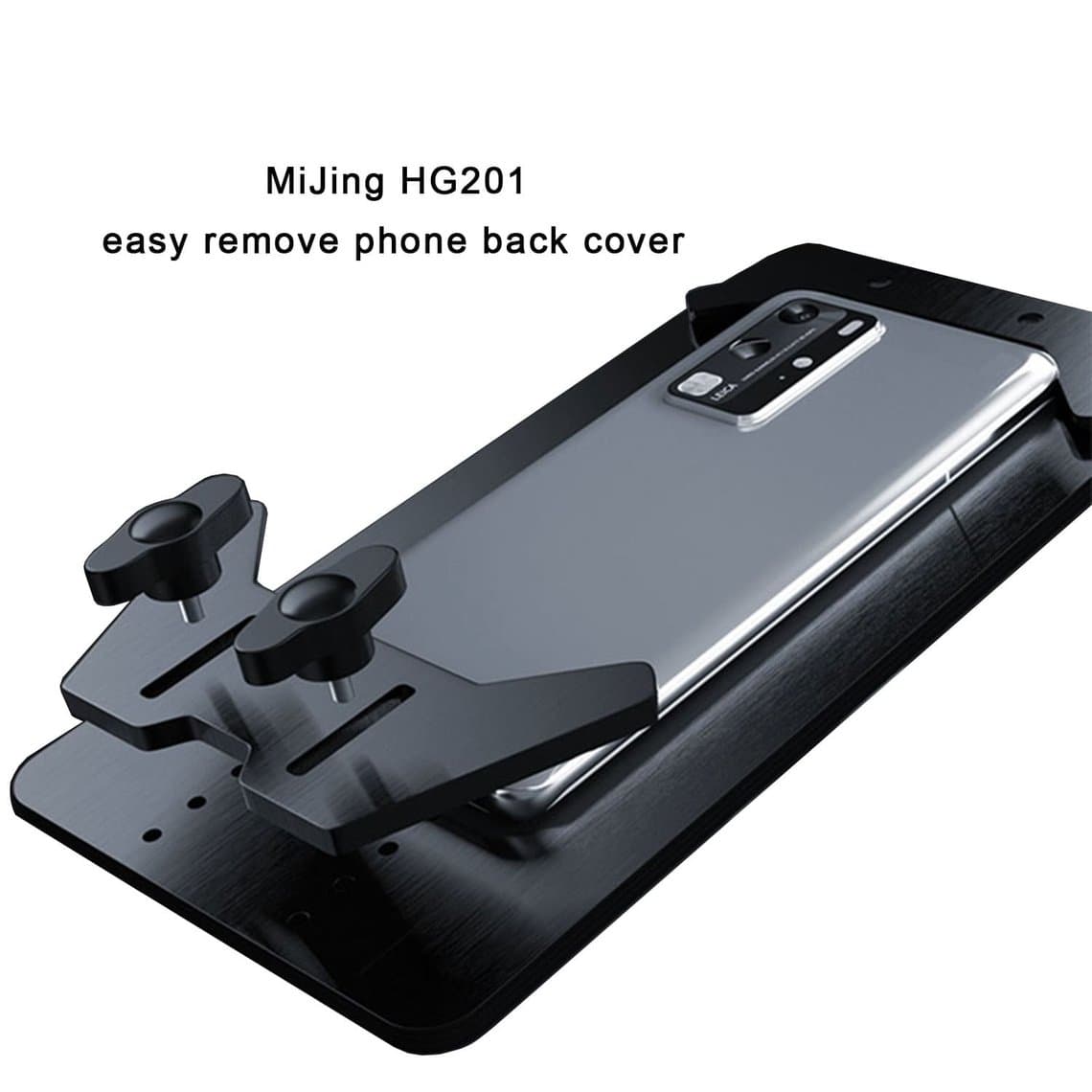
Universal back glass holders, such as the MJ HG201 Universal Back Glass Removal Holder, use adjustable jaws to fit a wider range of phones. They are a good first buy for a shop that sees a mix of brands.
Positioning clamps are model-specific. A positioning clamp holds new glass in the right place while it bonds, so the camera opening lines up. For laser-based removal, the machine's own moulds and fixtures do this job; see laser fixtures and our guide to laser back glass removal vs housing swap.
Camera and Face ID work also benefits from a dedicated holder. Camera and Face ID fixtures hold the rear camera or front sensor module steady for that stage.
Mould press clamps and air presses for lamination
Glass-only screen replacement means laminating new glass and OCA onto the original display. The pressure has to be even across the whole surface, or you get bubbles and uneven bonding. A mould holds the display in position and a press clamp or air press applies the force.
- Mould press clamps such as the 2UUL Press Clamp for Phone & iPad Molds work with matching moulds. They suit shops doing occasional glass-only jobs.
- Air presses use air pressure instead of a screw or lever, and smaller lite press clamps cover phone glass only.
For higher volume, a dedicated laminating machine and bubble remover give more consistent results than hand presses. That is a bigger investment, and it only pays off once glass-only jobs are a regular part of your week.
AirPods and watch holders
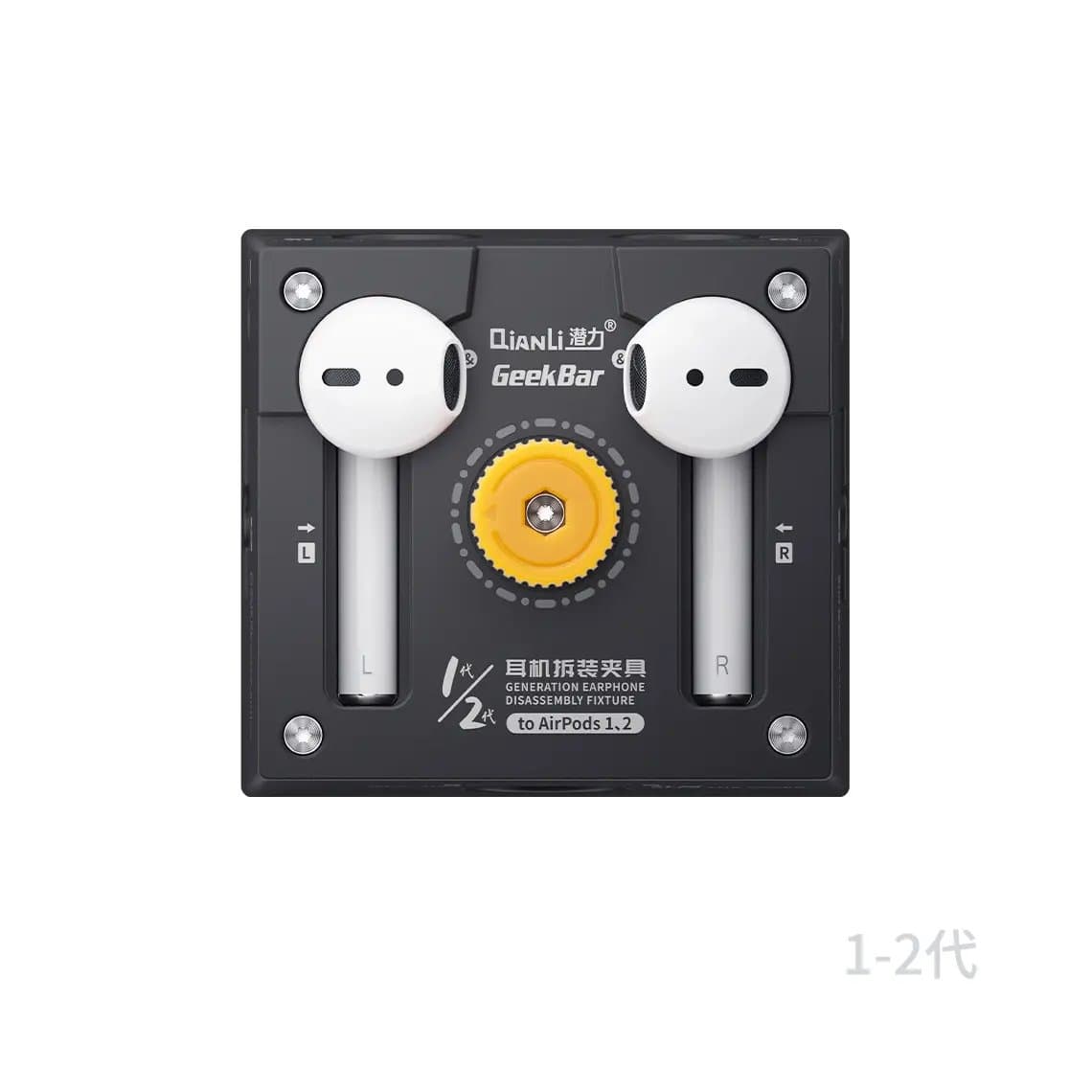
Small rounded devices are hard to grip in a standard holder, and slipping near a tiny battery is dangerous. A purpose-built fixture holds the stem or case securely. The Qianli AirPods / AirPods Pro Repair & Battery Removal Fixture is designed for that work, including battery removal, where controlled holding matters most. For watches, use a holder with soft jaws that grips the case without touching the display.
Logic board holders
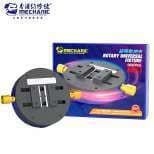
A bare board needs to sit flat and still under the microscope, with access to both sides and room for hot air. Use a dedicated board holder rather than a phone holder; a rotary type like the Mechanic MK1 Universal Rotary Logic Board Holder lets you turn the board without lifting it. Board fixtures for sandwich boards and middle-layer work are a separate topic, covered in our guide to iPhone motherboard test fixtures. Browse PCB holders and fixtures for the full range.
How to choose a holder, clamp or fixture
Run through these points before you buy:
- Jaw and contact material. Soft or padded jaws protect frames and glass. Bare metal jaws can mark aluminium and polished steel edges. Check whether pads are replaceable once they wear.
- Heat resistance. If you will use a heat plate, hot air or heat gun near the tool, plastic parts and pads need to tolerate it. Metal bodies are more forgiving; check what the listing says about heat use.
- Adjustability and model range. Universal tools cover more phones but can be slower to set up. Model-specific fixtures are faster and more precise but only fit the models named.
- Footprint. A rotating fixture or press takes real bench space. Measure your work area and keep space clear around the microscope.
- Stability. A heavy base or non-slip feet stop the fixture moving when you push with a pry tool.
- Pressure control. For screen clamps, you want enough force to seat the part evenly, not maximum force. Adjustable clamps make this easier.
Safe use: pressure, heat and fragile parts
Clamps can break what they are meant to protect. Keep these habits:
- Do not over-clamp screens. OLED panels are thin and can crack or develop lines under point pressure. Tighten until the part is held evenly, then stop.
- Spread the pressure. Use several clamps placed evenly around the edges, or a plate-style fixture, rather than one clamp in the middle of a side.
- Check the screen is seated first. Make sure no flex cable, tape or adhesive strip is trapped under the edge before you clamp; clamping over a trapped flex can tear it or crack the display.
- Watch heat near clamps. Do not aim hot air at plastic jaws or pads, and remember metal fixtures get hot and stay hot.
- Protect the battery. Never clamp across a battery or press a swollen battery. Disconnect it before working on the board.
- ESD. Use a grounded mat and wrist strap when the board or display connectors are exposed.
- Clean the jaws. Adhesive, glass dust and old pad residue scratch frames. Wipe the contact surfaces between jobs.
Common mistakes
- Gripping a bare logic board in a phone holder, which can flex it and crack solder joints.
- Removing clamps before the adhesive has cured.
- Buying a model-specific fixture without checking its model list.
Questions
What is the best holder for phone repair?
For most benches, a universal holder with soft jaws that rotates is the best first buy, because it covers opening, disassembly and testing on most phones. Add a back glass fixture and pressure clamps as your workload grows. Model-specific fixtures come next if you repeat the same models often.
How long should I clamp a phone screen after gluing?
It depends on the adhesive. Follow the cure time the glue maker gives, and keep the clamp on for the full period rather than only until it feels firm. Leave the phone at room temperature and avoid stressing it until the bond has set.
Can a clamp crack an OLED screen?
Yes. Too much pressure, or pressure at a single point, can crack an OLED panel or cause lines. Use even, moderate pressure spread around the edges, and check nothing is trapped under the display before you tighten.
Do I need a special fixture for back glass removal?
You can do it with a universal holder, but a rotating back glass fixture keeps the frame locked and lets you reach every edge without unclamping. That makes the job safer and faster, especially if you scrape glass by hand.
See the full range of phone holders and clamps, plus iPhone screens to go with them. Repair shops can unlock trade pricing through wholesale, and reorder by SKU or CSV with Quick Order.